Examples:
Keywords
pdf mergemerge pdfscombine pdfsjoin pdfsmerge pdf online free
Click the file area or drag and drop two or more PDF files onto it. Files are added in the order you select them — drag to reorder them before merging.
For each file, optionally enter a page range (e.g. '1-3, 5, 8-10') to include only specific pages. Leave the range blank to include all pages from that file.
Review the file order in the list. Use the up/down arrows to change sequence. The final merged PDF will follow this order exactly.
Click Merge PDFs. Your browser assembles the combined file locally and immediately triggers a download. No data is sent anywhere.
Every step of the merge process runs inside your browser tab using the pdf-lib JavaScript library. Your PDF files are read into local browser memory, processed, and downloaded — they never touch a server, a CDN, or a third-party API. Works even without internet after the page has loaded.
Include all pages from each file, or specify individual pages and ranges (e.g., '1-5, 7, 9-12'). This lets you extract specific chapters, skip blank pages, or combine selected sections from several source documents into a single output file.
After adding files, reorder them by dragging. The order you set in the list is the order pages appear in the merged PDF — useful when assembling cover sheets, appendices, or multi-chapter documents that must follow a specific sequence.
The merger copies fonts, embedded images, vector graphics, and page geometry directly from the source PDFs rather than re-rendering them. This preserves the visual quality of scanned documents, branded letterheads, and complex layouts without resolution loss.
Once the page and the pdf-lib library have loaded, you can disconnect from the internet and continue merging. This is useful for sensitive document workflows in air-gapped environments or when working on a plane or train.
Most free online PDF mergers upload your files to a server for processing, which creates privacy and data security risks for sensitive documents like tax returns, legal contracts, medical records, and business reports. This tool processes everything locally — your files are loaded into your browser's memory, merged, and saved back to your disk without a single byte leaving your device.
There is no account to create, no email to provide, and no premium subscription required to unlock features. The merged PDF does not include any watermarks, branding, or metadata injected by this service. Daily usage is unlimited. The full feature set — including page range selection and multi-file reordering — is available at no cost.
The tool correctly handles PDFs that mix portrait and landscape pages, multi-column text, embedded fonts, high-resolution images, and scanned pages. Unlike simple merge tools that re-render pages as images, this tool copies page content at the PDF object level, preserving text selectability and search-indexability in the output.
The merge engine uses pdf-lib, a well-maintained open-source JavaScript library with over 6,000 GitHub stars and extensive documentation. The processing logic is fully auditable — there are no black-box APIs or proprietary algorithms involved. If you are a developer, you can review exactly what the library does to your files.
The majority of free online PDF tools work by accepting a file upload, processing the file on a remote server, and returning a download link. This architecture has real privacy costs. When you upload a document to a third-party service, you are trusting that service with the contents of that file. Most terms of service for free tools allow the provider to analyse, retain, or re-use uploaded content for service improvement. For personal documents — tax returns, passports, medical records, legal agreements — this is a significant risk.
Browser-based processing eliminates this risk entirely. The PDF files you load into this tool are read by the browser File API from your local file system into browser memory. They are processed by JavaScript running in your browser tab. The result is written back to your file system via a browser-triggered download. At no point does any content traverse a network connection.
A PDF file is not a single flat document — it is a structured collection of objects: page trees, content streams, resource dictionaries, font descriptors, image XObjects, and cross-reference tables that tie them together. Merging two PDFs requires reading both file structures, copying the page objects from each source document, updating all cross-references so that fonts and images referenced on those pages resolve correctly in the new combined document, and writing a valid new PDF structure.
A naive merge that simply concatenates the raw bytes of two PDF files will always produce a broken output because the cross-reference tables from the two files will conflict. A correct merge must parse both files at the PDF object level and construct a new unified object graph. This is what pdf-lib does, and why it produces reliable output even when merging complex documents with embedded fonts and images.
Fonts in PDF files can be either embedded (the font data is stored inside the file) or referenced (the file lists a font name and relies on the viewer to supply it). When merging, embedded fonts are copied into the output file, ensuring they render identically regardless of which fonts are installed on the viewer system. Referenced fonts are also preserved as references in the output. The merger does not subset, re-embed, or convert fonts — it copies them as-is, which means the output file font fidelity matches the source files fidelity.
When you specify a page range like "1-3, 5, 8-10" for a source file, the tool parses that range string, resolves it against the actual page count of the file, and copies only the specified page objects. Pages outside the range are not included in the output. This is implemented at the PDF object level — only the selected page trees and their referenced resources are copied, which can also reduce the output file size when selecting a small subset of a large source document.
Because all processing happens in memory, the practical file size limit depends on your device available RAM. As a rough guideline: merging files that total up to 100 MB works comfortably on most devices with 4 GB of RAM or more. Files totalling 200-500 MB may work but may cause the browser tab to slow down. Files above 500 MB total may trigger the browser out-of-memory protection on devices with limited RAM. If you need to merge very large files, split the task into smaller batches and merge the intermediate outputs.
PDF encryption exists in two forms: user password (required to open the file) and owner password (restricts printing, copying, or editing). This tool can merge PDFs that have owner restrictions but no user password — meaning files that open without entering a password but have editing restrictions. PDFs that require a password to open cannot be merged without first removing the password in a separate step. This is a deliberate limitation: merging encrypted files without the password would require breaking the encryption, which this tool does not attempt.
A common case is a stack of single-page scans — a signed contract page, a photographed receipt, an ID card front and back — that need to become one PDF before you email or file them. Add every scanned file to the tool in the order the physical pages were scanned; if your scanner produced them out of order (a common quirk when scanning double-sided documents on a single-sided feeder), drag them into the correct sequence in the file list before merging. Leave the page range field blank for each file so every page from every scan is included. Because scanned pages are typically a single full-page image with no separate text layer, the merge preserves that image at its original resolution rather than re-rendering or recompressing it, so the output looks identical to the individual scans, just combined into page order.
A second common case is building one deliverable from several source documents — a cover page you designed separately, a body report exported from another program, and an appendix of supporting data. Add the cover page file first, the body report second, and the appendix last, matching the order they should read in the final document; the tool merges strictly in list order, so reordering with the up/down arrows before clicking merge is the only way to change page order afterward. If the appendix is a large source file but you only need a few of its pages, use the page range field for that file (for example "2-4, 9") to pull in only the relevant pages rather than the entire document, keeping the combined report focused and smaller.
Two situations deserve caution. First, fillable forms: PDF form fields must have unique names within a single document, and page-level merging tools — including this one — do not automatically rename or reconcile field names across the source files they combine. If two of your source PDFs happen to reuse the same field name (for example, both use a field called "Name" or "Date"), the merged document can end up with fields that share values unexpectedly, or with a viewer displaying only one file's field definitions. If your merge involves forms you plan to fill in afterward, test the merged output carefully, or flatten the forms to static content in each source file before merging if editability is not required. Second, digitally signed PDFs: a cryptographic signature is computed over the exact original bytes of a signed document, and any tool that reconstructs the PDF — as this one does when assembling the merged output — produces a new file whose bytes no longer match what was signed. Merging a digitally signed page therefore does not, and cannot, carry its signature's validity into the combined document; treat a signed source PDF as something to merge only after its signature has already served its purpose, not as a way to preserve a verifiable signature in the output.
Combining several PDFs, especially ones with high-resolution scans or large embedded images, often produces a file noticeably larger than any of its parts. If the merged document needs to fit an email attachment limit or upload faster, run it through our PDF compressor right after merging — it applies the same screen, ebook, and printer presets to shrink embedded images and optimize the file structure, entirely in your browser, without a second upload to any server.
This tool is built for one job done fast: drop files in, set the order, merge. When the job is less about joining files and more about controlling the page sequence inside the result — flipping every other page from a duplex scan back into order, spinning a batch of sideways pages upright, dropping a blank cover sheet, or laying two documents into a single alternating stack — reach for our PDF organizer instead. It shows a live thumbnail of every output page and lets you rotate, delete and drag individual pages before you download, which is more control than a straight merge is meant to give you.
No. The entire PDF merging process runs in your browser tab using local resources. Your files are read from your local disk into browser memory, processed by JavaScript, and downloaded back to your disk. No content is transmitted over any network connection. You can verify this using your browser developer tools — no outbound requests are made after the page loads.
You can merge PDFs that have owner restrictions but open without a password. Fully encrypted PDFs that require a password to open cannot be merged by this tool without first removing the password using a PDF editing application. Attempting to load an encrypted PDF will show an error message explaining this limitation.
The tool allows merging between 2 and 20 files at a time. This limit exists to prevent excessive browser memory usage on devices with limited RAM. If you need to merge more than 20 files, merge them in batches and then merge the resulting files together.
Yes. The merger copies page content at the PDF object level, not by re-rendering pages as images. This means embedded fonts, vector graphics, high-resolution images, and most annotation types are preserved with full fidelity. Form fields are supported in most cases but complex JavaScript-based forms may lose interactivity.
No. The tool does not inject any watermarks, branding text, or additional metadata into the output file. The Producer metadata field in the PDF is set to pdf-lib (the name of the open-source processing library), which is standard behaviour for the library.
No installation is required. The tool runs entirely in your web browser — Chrome, Firefox, Safari, and Edge are all supported. The pdf-lib library and all processing code are loaded as part of the web page.
Because processing happens entirely in browser memory, the practical limit depends on your device available RAM. Files totalling up to 100 MB work reliably on most devices. Merging very large files (200+ MB total) may slow the browser tab on devices with limited memory. Split large tasks into smaller batches if needed.
Yes, once the page has fully loaded in your browser. If your browser has cached the page and the pdf-lib library, you can disconnect from the internet and continue using the tool. This is useful for sensitive document workflows where internet connectivity is restricted.
Usually, but with a caveat: PDF form fields must be uniquely named within one document, and merging does not automatically rename fields that happen to share a name across your source files. If two source PDFs both use a field like 'Name' or 'Date', the merged file's fields can behave unexpectedly. Test the merged form afterward, and consider flattening forms first if you do not need them to stay fillable.
No. A digital signature is only valid for the exact original bytes of the signed file. Because merging reconstructs a brand-new PDF from the source pages, the resulting file's bytes no longer match what was signed, so the signature cannot carry over as valid. Merge signed documents only after their signature has already served its purpose.
Yes. Merging several PDFs, especially ones with scanned pages or large images, often produces a bigger file than any single source. Running the result through our PDF compressor afterward — using the screen, ebook, or printer preset that matches your needs — shrinks it back down, entirely in your browser.
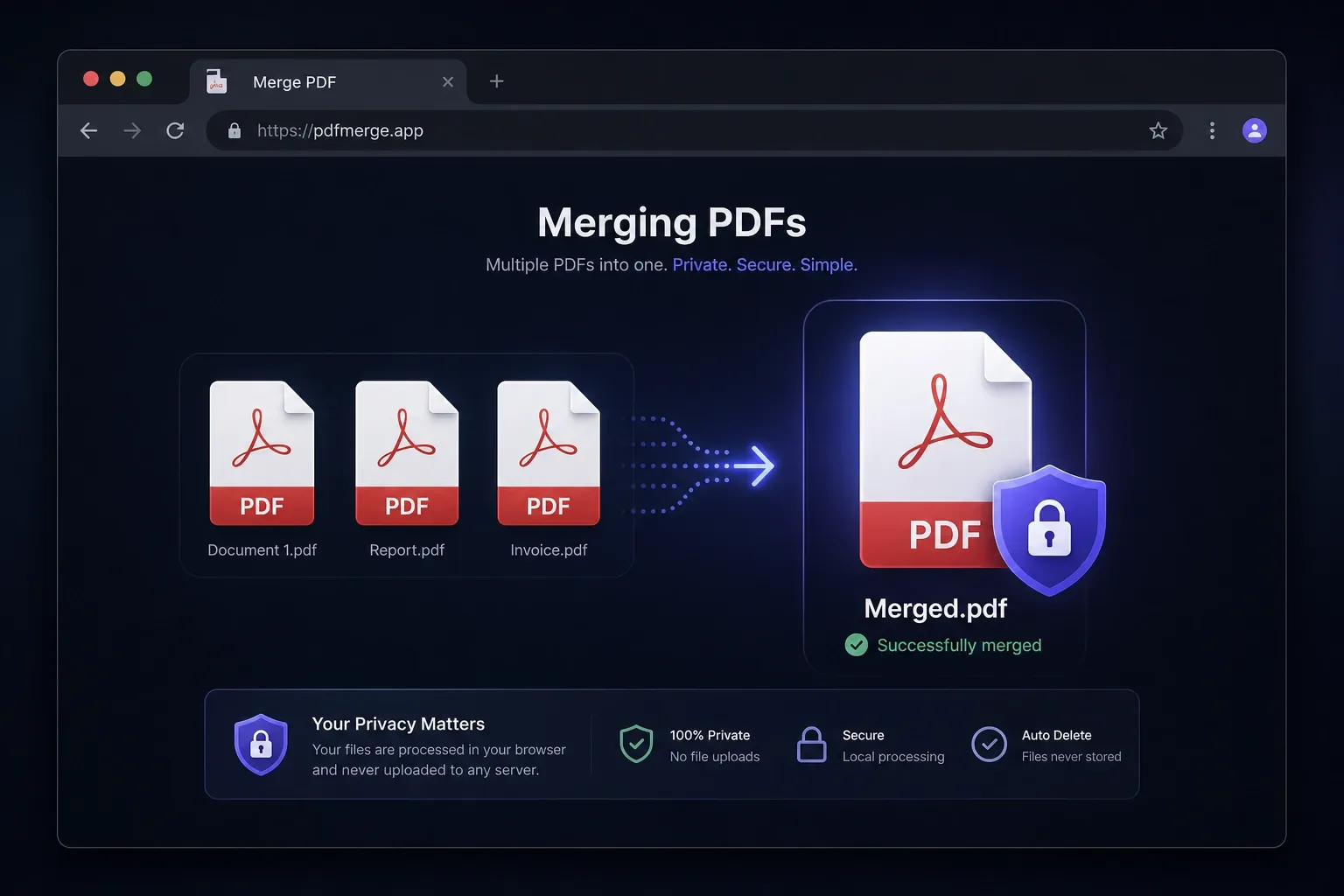
Merge multiple PDF files securely in your browser with no uploads, no accounts, and no data ever leaving your device — completely private and free.
Read more →