Why Length Beats Complexity
Modern guidance from NIST (SP 800-63B) makes clear what cryptographers have said for years: a password's strength is dominated by its length and the size of the character pool it was drawn from. An 8-character password with lowercase only has about 37 bits of entropy — crackable on a modern GPU in seconds. A 16-character password drawn from a 94-character pool (upper, lower, digits, symbols) has roughly 105 bits — computationally out of reach for any attacker not armed with nation-state resources.
What Entropy Actually Means
Entropy, measured in bits, is the logarithm base 2 of the number of possible passwords that could have been generated with the same rules. If a password has 60 bits of entropy, there are 2⁶⁰ ≈ 10¹⁸ possibilities. At a trillion guesses per second, that is roughly 35 years of continuous cracking. At 128 bits, even hypothetical future hardware will struggle during the lifetime of any current secret.
crypto.getRandomValues() vs Math.random()
Every major browser exposes two random number sources. Math.random() is a non-cryptographic PRNG — fast, suitable for games, unsuitable for secrets. crypto.getRandomValues() is backed by the operating system's CSPRNG (typically /dev/urandom on Linux, CryptGenRandom on Windows, SecRandomCopyBytes on macOS) and is the only acceptable source for password material. This tool uses exclusively the cryptographic path.
Human Entropy Mode
Some threat models — particularly against state-level adversaries — benefit from belt-and-suspenders entropy. The optional Human Entropy Mode collects additional randomness from mouse movements, keystrokes, and touch events, XOR-mixes the collected pool with 256 bits of crypto.getRandomValues(), and SHA-256 hashes the result to produce a uniform seed. The human contribution cannot weaken the output below what crypto.getRandomValues() alone provides — XOR with a truly random mask preserves uniformity — but gives users who want it the psychological comfort of physical participation.
Unbiased Sampling Matters
A naive implementation would pick a character by taking a random byte modulo the pool size. This introduces modulo bias: if the pool has 94 characters and bytes range 0–255, the first 26 characters appear slightly more often than the last 68. This tool uses rejection sampling — bytes that fall outside the uniform range 256 − (256 mod 94) = 188 are discarded and redrawn — to guarantee every character is equally likely.
Ambiguous Characters
Zero versus capital-O, one versus lowercase-L versus capital-I: visually indistinguishable in many fonts and a common source of password entry errors. The 'Exclude ambiguous' option removes 0OoIl1 from the pool. It shrinks entropy very slightly (less than a bit on a 94-char pool), which is overwhelmingly worth the ergonomic improvement when passwords must be manually transcribed.
Rotation and Password Managers
NIST no longer recommends arbitrary periodic password rotation — it leads users to weaker patterns. Rotation should be event-driven: after a breach, compromise, or suspected exposure. For day-to-day use, the strongest recommendation is to store each password in a reputable password manager (Bitwarden, 1Password, KeePassXC) so length can be maximized without memorization burden. Generate a 32-character random password per account, store it in the manager, and only memorize the master password protecting the vault.
Clipboard Hygiene
When copied to the clipboard, passwords can be read by other applications on the same system — particularly on mobile where cross-app clipboard access is permissive. This tool auto-clears the clipboard 60 seconds after a copy. Paste the password into its destination promptly, and avoid keeping it on the clipboard indefinitely.
Generating Passwords for Different Contexts
Not every account warrants the same strategy. Service accounts and API secrets — consumed programmatically and stored in secret managers — benefit from the maximum reasonable length (64–128 chars, full symbol set) because no human ever types them. Wi-Fi passwords that guests occasionally read from a card do better with 20 characters excluding ambiguous glyphs, so they transcribe cleanly. Root and administrative passwords on infrastructure deserve 32+ characters from the full pool, and should be rotated immediately after any team member with access leaves. Encryption passphrases protecting disk volumes or password vaults should target 128 bits of entropy but can skip symbols in favor of longer diceware-style word sequences for typing ergonomics — a 7-word passphrase from a 7,776-word list yields ~90 bits without any symbols.
Password Managers: The Essential Pair
This generator solves creation, but creation is only half the problem. Without a password manager, users default to memorable (weak) passwords or reuse. Modern password managers — Bitwarden (open source, free tier), 1Password (commercial), KeePassXC (local-only), or the built-in managers in Chrome, Firefox and Safari — handle generation, storage, autofill, and cross-device sync. They also surface breach alerts (checking your stored credentials against the Have I Been Pwned database) and password-age reports so you can prioritize rotations. The master password protecting the vault becomes the single secret you truly memorize; it should be generated at 128+ bits or constructed as a 6–7 word diceware passphrase, and paired with 2FA on the vault itself.
Two-Factor Authentication: Beyond the Password
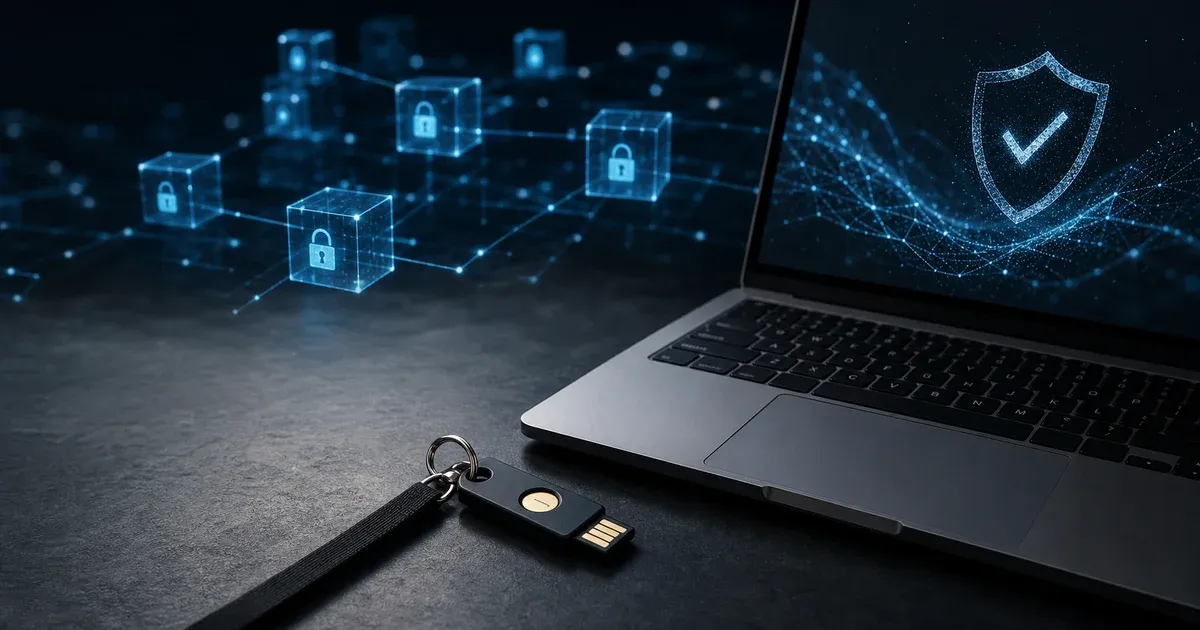
Even a cryptographically perfect password can be phished. Adding a second factor — a time-based one-time password (TOTP) from an authenticator app, a hardware security key (YubiKey, SoloKey), or a platform passkey — raises the bar dramatically. TOTP apps like Aegis, 2FAS, and Google Authenticator generate 6-digit codes that rotate every 30 seconds; they require attackers to compromise a second device, not just phish a credential. Hardware keys using FIDO2/WebAuthn are the gold standard: they are physically required for authentication and cannot be phished because they cryptographically verify the site origin. Wherever possible, prefer passkeys (the consumer-facing FIDO2 implementation) over password+TOTP — passkeys eliminate the password entirely and cannot be replayed.
When Passwords Fail: Incident Response
Assume that any of your passwords may eventually appear in a breach. The standard response sequence: (1) identify which specific credential leaked via haveibeenpwned.com, (2) rotate that credential immediately using a freshly generated password, (3) rotate any credential that used the same or similar password on other sites (this is why reuse is toxic — one breach cascades), (4) review account activity for unauthorized access, (5) enable 2FA if not already present. If the breached account controls others (email, password manager, SSO provider), treat it as a critical incident: rotate all dependent credentials in order of value. A password manager makes this tractable; doing it for hundreds of accounts without one is impractical.
When Site Rules Make Security Worse
Many websites still enforce outdated password rules: mandatory rotation every 90 days, maximum lengths of 16 characters, rejection of pasted passwords, or bans on certain symbols. These policies do not make users safer; they usually force people toward predictable patterns like Spring2026!, sequential increments, or reused variants. A strong generator helps, but bad site policy can still drag the effective security down.
When a site imposes strict composition rules, the practical strategy is to maximize length within the allowed limit, keep every enabled class genuinely random, and store the result in a password manager so you never need to memorize an unnatural pattern. If a service supports passkeys or WebAuthn, prefer that route immediately. Good authentication design reduces the number of compromises users must make just to satisfy legacy validators.