
Two Knobs That Do Different Jobs
Almost every "why is this page still in Google?" ticket comes from one root confusion: treating robots.txt and the noindex directive as interchangeable. They are not. They control two different stages of the search pipeline. robots.txt governs crawling — whether a polite crawler is allowed to fetch the URL at all. noindex (delivered as a meta tag or an HTTP header) governs indexing — whether a URL Google has already fetched is allowed to appear in results. Crawling happens first; indexing happens after, and only if the crawler could read the page.
The practical consequence is counterintuitive and trips up experienced developers: if you block a URL in robots.txt, Google may still index it. Google's own documentation on blocking indexing is explicit that a Disallow rule is not a deindexing mechanism. When a blocked URL is discovered through an external link, an internal link from a crawlable page, or a sitemap entry, Google can list it in results without ever fetching its content — producing the familiar Indexed, though blocked by robots.txt status in Search Console. The listing has no real title and no snippet, because Google was never allowed to read the page, but it is in the index all the same.
So the answer to "robots.txt vs meta noindex — which do I use?" depends entirely on which knob you actually need. If the goal is to keep a page out of search results, you need noindex. If the goal is to stop a crawler from spending crawl budget on a section of the site, you need robots.txt. The trap is that the two requirements often appear together, and the directives interfere with each other in a way that defeats the naive combination.
Why Blocking and Noindexing Together Fails
The single most common mistake is to write both at once: a Disallow rule in robots.txt and a noindex meta tag on the same page. This does not double your protection — it cancels it. The noindex instruction lives inside the page (or in the page's HTTP response). For Google to obey it, Googlebot has to fetch the page and read it. But the robots.txt Disallow rule tells Googlebot not to fetch the page in the first place. The crawler never sees the noindex, so it never honors it. The URL stays eligible for indexing, frequently landing in the "Indexed, though blocked by robots.txt" bucket.
This behavior is described in the IETF standard for the Robots Exclusion Protocol, RFC 9309, which defines robots.txt strictly as a crawl-access protocol — it carries no indexing semantics whatsoever. Indexing directives are a separate convention served at the page level, formalized by Google under the "Robots meta tag, data-nosnippet, and X-Robots-Tag specifications." The two layers were designed independently, and combining them incorrectly is the root cause of most stuck-in-index pages.
The correct rule of thumb: to remove a page from the index, it must be crawlable and carry a noindex directive at the same time. Counterintuitively, you have to allow crawling of a page you want gone, at least long enough for Google to re-fetch it, see the noindex, and drop it.
Where noindex Lives — Meta Tag vs X-Robots-Tag
The noindex directive has two delivery mechanisms, and both are equally authoritative to Google.
The meta robots tag
For HTML documents, place <meta name="robots" content="noindex"> in the <head>. You can target a single crawler by replacing robots with a product token, for example <meta name="googlebot" content="noindex">. Combine directives with commas: content="noindex, nofollow" stops indexing and tells Google not to follow the links on that page. A frequent subtlety is that noindex implies the links can still be followed unless you also add nofollow — and during a deindex transition you usually want the links followable so equity flows correctly while the page drains from the index.
The X-Robots-Tag HTTP header
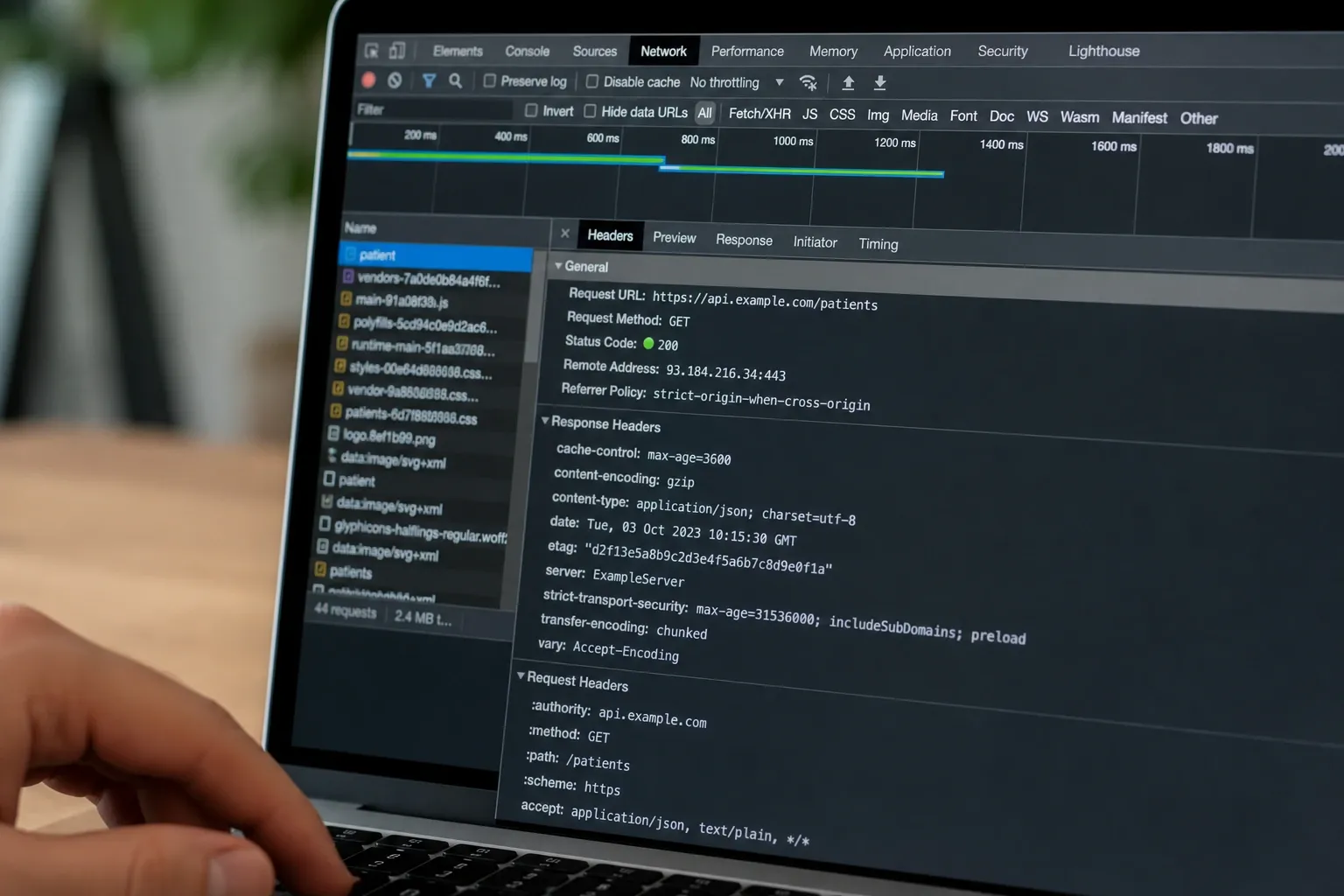
The meta tag only works for HTML. To deindex a PDF, an image, a CSV export, or any non-HTML resource, you need the X-Robots-Tag response header — for example X-Robots-Tag: noindex. Because it is an HTTP header, it is set at the server or CDN edge and applies regardless of file type. It also accepts the same directives as the meta tag, plus useful extras like unavailable_after: 1 Jul 2026 00:00:00 GMT for time-boxed content. This is the only reliable way to keep generated files such as quarterly report PDFs out of the index, and it is the mechanism Google's X-Robots-Tag specification documents for exactly this purpose.
Both mechanisms share the same fatal dependency: the crawler must be allowed to fetch the resource to see the header or tag. A PDF blocked in robots.txt will ignore its own X-Robots-Tag for the same reason an HTML page ignores its meta tag.
One more detail catches teams that render client-side: Google indexes the rendered DOM, so a noindex injected by JavaScript after page load is honored only if the directive survives rendering. But this is fragile. If a script removes a server-rendered noindex during hydration, or adds one too late, you get inconsistent behavior across crawl passes. The safe default is to emit the directive in the initial server response — either in the static HTML <head> or, more robustly, as the X-Robots-Tag header, which is immune to rendering races entirely because it travels with the HTTP response before a single byte of script executes. When indexing behavior must be deterministic, prefer the header.
A Safe Deindex Workflow
When a URL is already indexed and you want it gone, sequence matters. Doing the steps in the wrong order is what leaves pages stranded.
- Remove any
robots.txtblock on the URL. If the path is currently disallowed, Google cannot re-crawl it to discover thenoindex. Open up crawl access first. - Add the
noindexdirective. Use the meta robots tag for HTML, orX-Robots-Tag: noindexfor non-HTML. Verify the directive is actually served by inspecting the live response, not the source template — caching layers and CDNs sometimes strip or override headers. - Wait for re-crawl. Google must fetch the page again to honor the directive. You can accelerate discovery by submitting the URL for inspection in Search Console, but deindexing is not instantaneous; it follows the next successful crawl.
- Confirm removal. When the URL drops out of the index and the "Indexed" status clears, the page is gone from results.
- Only now consider re-blocking in
robots.txt— and usually you should not. Once a page carries a permanentnoindex, re-adding aDisallowwould stop Google from re-confirming thenoindexon future crawls, risking the page creeping back if a stale signal resurfaces. Keep the page crawlable and let thenoindexdo its job. Reserverobots.txtblocking for sections you genuinely never want fetched and that have no indexing exposure.
For urgent removals — a leaked draft, a price page that went live early — pair this workflow with the temporary Removals tool in Search Console, which hides a URL from results for roughly six months while your permanent noindex takes hold. The Removals tool is a stopgap, not a substitute: if you never add the noindex, the URL returns when the temporary block expires.
So Which One Do You Use?
A short decision guide that resolves the great majority of cases:
- Keep a page out of search results: use
noindex(meta tag for HTML,X-Robots-Tagfor files). Keep the URL crawlable. - Stop wasting crawl budget on infinite or worthless URL spaces — faceted-navigation parameter explosions, internal search result pages, calendar paginations: use
robots.txtDisallow. These typically should not be indexed anyway, and you are mostly protecting the crawler from drowning. If any of those URLs are already indexed, deindex them withnoindexfirst, then block. - Protect private or sensitive resources: use neither as your security control.
robots.txtis publicly readable and listing a path there advertises it;noindexonly affects search listings. Real protection is authentication, an IP allowlist, or a route guard. RFC 9309 is a polite-bot protocol and offers no enforcement against scrapers. - Manage duplicate content: often neither — a
rel="canonical"link is the right consolidation signal, because you want the duplicates to pass signals to the canonical rather than disappear.
Verifying Before You Ship
Both layers are easy to get wrong in ways that are invisible until traffic moves. The robots.txt side is testable: paste your file and your candidate URLs into the Robots.txt Tester, pick the crawler you care about, and confirm that the URLs you intend to deindex are actually Allowed to be crawled — because a stray Disallow is exactly what would silently break your noindex. The tester implements the RFC 9309 longest-match algorithm Googlebot uses and runs entirely in your browser.
The indexing side is verified at the HTTP layer: fetch the live URL and inspect the response for the meta tag in the rendered head or the X-Robots-Tag header. Do this against production, not staging, because edge caches and security proxies are notorious for stripping headers. When you are reorganizing a site, cross-check that the URLs you are deindexing are also pruned from your XML sitemaps — a deindexed URL still listed in a sitemap sends Google contradictory signals. The Sitemap Comparator makes those discrepancies obvious in one pass, and for international sites the hreflang Checker catches the related trap of noindexing one locale while its hreflang cluster still points to it.
For deeper background on how crawl rules are evaluated — the longest-match precedence, the deprecated in-robots Noindex directive, and the AI-crawler landscape — see our companion guide, robots.txt Without Mythology.
The Bottom Line
robots.txt and meta noindex are not two ways to do the same thing — they are two controls on two different stages. robots.txt decides whether a page is fetched; noindex decides whether a fetched page appears in results. Because noindex lives inside the page, blocking the page in robots.txt hides the very instruction you wanted obeyed, which is why the naive "block it and noindex it" combination leaves pages stranded in the index. To deindex, allow crawling and serve noindex; to conserve crawl budget on worthless URL spaces, disallow; for anything sensitive, use real access control. Test the crawl layer with the Robots.txt Tester, verify the indexing layer at the HTTP response, keep your sitemaps consistent, and the "why is this still in Google?" tickets stop arriving.