
The Pre-Launch Question Every Migration Hinges On
Most site migrations fail in the same boring way: a URL that used to rank stops resolving, nobody notices for two weeks, and by the time the missing redirect is caught the equity has already drained out of the page. Every migration retrospective I have sat through could have been a one-line bullet — "we shipped without a complete URL diff against the old sitemap" — and the lesson lands the same way every time. The diff is cheap. The recovery from skipping the diff is not.
This article walks through how I actually use a sitemap comparator the day before, during, and after a migration. It is not theory — it is the checklist I keep open in a tab when shipping a domain change, a CMS swap, an IA overhaul, or a major redesign. The tool referenced throughout is the Sitemap Comparator, which runs entirely in your browser, but the playbook works with any diff that exposes four buckets: Common, Only in A, Only in B, and Similar.
Why Sitemaps Beat Crawls For This Specific Job
A full Screaming Frog crawl produces a richer dataset than a sitemap — status codes, indexability flags, response headers, internal link counts, hreflang relationships, canonicalization signals. For most pre-launch audits, all of that matters. But for the narrow question of "which URLs existed before and do not exist after," a sitemap diff is the right shape of tool: it is fast, it is reproducible, it does not require a crawl budget, and the inputs (XML sitemaps) are exactly the artifacts both sides of the migration already publish.
The trade-off is honesty about what sitemaps include. A well-maintained sitemap declares the URLs the site considers canonical and indexable — which is almost always a smaller set than the URLs that actually have search equity. Pages with long-tail traffic, deep article archives, and old campaign landing pages frequently get pruned from the sitemap long before they stop receiving organic visits. The diff catches the sitemap-to-sitemap gap; a server log analysis or a Search Console crawl-stats export catches the sitemap-to-reality gap. Run both. The diff is the cheap first 80%.
Step 1: Grab Both Sitemaps Cleanly
Before opening any tool, get the two XML files locally. For the "before" sitemap, save the live production version: curl https://example.com/sitemap.xml -o sitemap-before.xml or just right-click → Save As in your browser. For the "after" sitemap, grab the new build's sitemap from staging or pre-production. If the new build uses a sitemap index, save all the child sitemaps too — you will need them in step three.
Save them with sensible names — sitemap-prod-2026-05-22.xml and sitemap-staging-2026-05-22.xml — and stash them in a folder next to the migration plan. Three weeks later when somebody asks "what did the sitemap look like the day we launched," you will have the answer. This is the cheapest possible audit trail; do not skip it.
Step 2: Run The First Diff With Defaults
Open the Sitemap Comparator, paste the before sitemap into panel A and the after into panel B, leave every option at its default, and hit Compare. The default normalization (lowercase host, strip trailing slash, drop www., ignore http vs https, sort query parameters) collapses every cosmetic difference into the Common bucket. This is what you want on the first pass — focus on URLs that genuinely changed, not on the noise of inconsistent URL emission between two different rendering systems.
Read the stats bar first. The headline number is the size of the Only in A bucket — every URL there is a candidate for a 301. If Only in A is enormous (say, 30% of the total), something structural changed: a category was renamed, a slug pattern was changed, a CMS migration changed every URL. If Only in A is small (single digits), the migration is largely a re-skin and your redirect map will be short. Either is fine; what matters is that you know which kind of migration you are dealing with before you start mapping redirects.
Step 3: Work The Similar Tab — Your 301 Draft
The Similar tab is where the tool earns its keep. After the equality check is done, every URL still in Only in A is matched by Levenshtein similarity against every URL still in Only in B. Pairs above the threshold (0.85 by default) are surfaced as likely renames with the similarity score next to them.
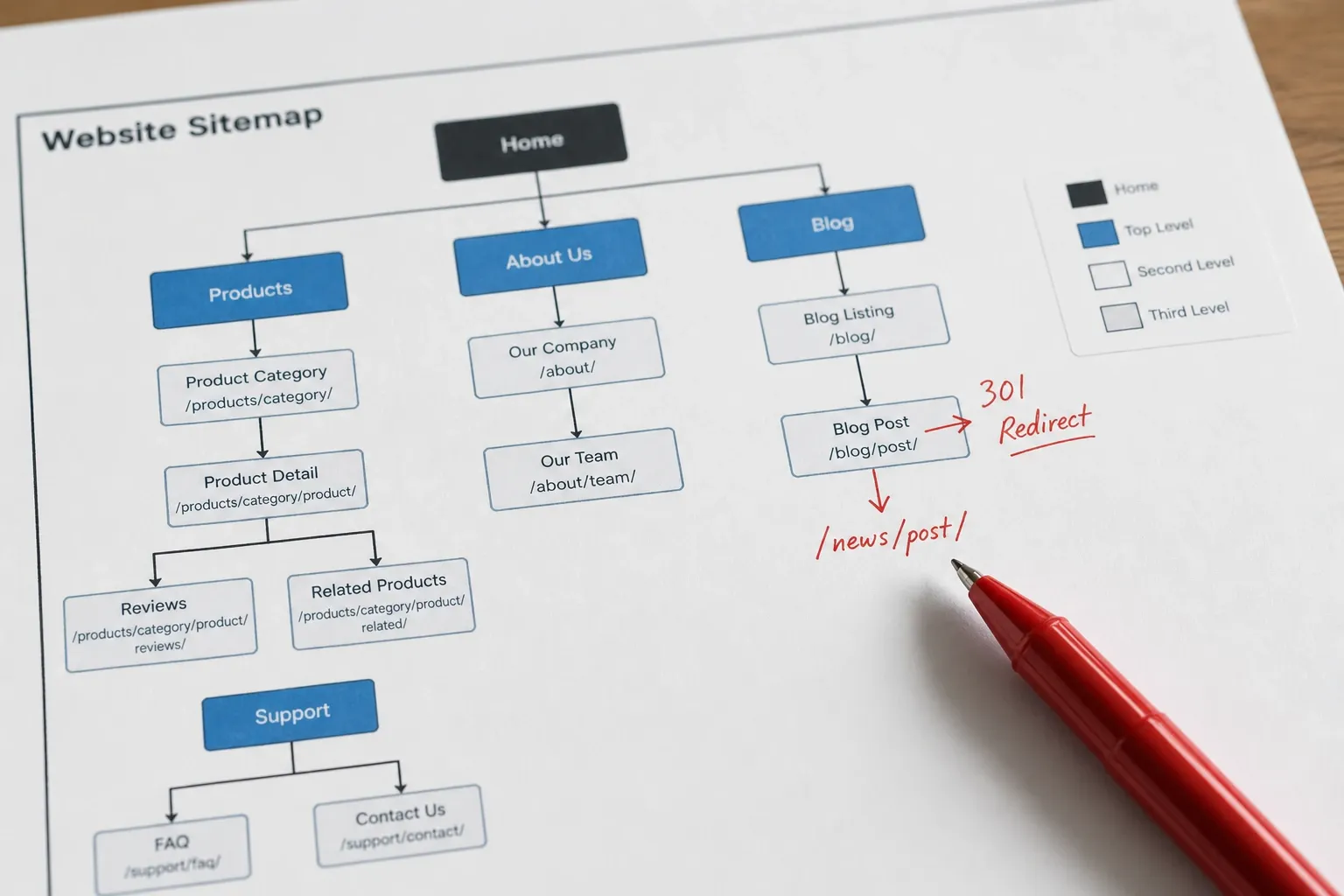
Walk down the list top-to-bottom. Anything at 95%+ is almost certainly a real rename — a slug typo fix, a year-stamp update (/pricing-2024/ → /pricing/), a path simplification (/products/widget/ → /p/widget/). Approve these straight into your 301 map. The 85–95% range deserves a quick eyeball: usually real renames, occasionally false positives where two unrelated URLs happen to share a substring. If you see a cluster of false positives, raise the threshold to 0.90 or 0.92 and recompare — the cost is missing a few subtle renames, the benefit is a cleaner draft you can approve faster.
Once you have approved the pairs, export the Similar tab to CSV. Open it in Sheets, add an "approved" column, mark each row, and the result is the first half of your 301 map ready to paste into your redirect config, your CDN edge rules, or your CMS's redirect table.
Step 4: Hunt For Missing Redirects In Only in A
Every URL still in Only in A after the Similar pass — meaning the tool could not pair it with anything in Only in B — needs an explicit decision. There are three legitimate outcomes:
- Redirect to the closest topical replacement. The old page covered a topic that still exists on the new site, just at a different URL. Map a 301 to the new home for that topic. Example: an old
/blog/category/pricing/archive page redirected to the new/pricing/landing page when the blog archive structure was removed. - Retire the URL with a 410 Gone. The page covered something the new site no longer offers. A 410 is more honest than a 301 to the homepage and crawlers will drop it from their index faster, which is what you want for retired content.
- Restore the URL on the new site. The page was retired by accident — maybe it slipped through a content review, maybe a CMS migration script missed a content type. If the page should still exist, restore it before launch rather than papering over the gap with a redirect.
Whatever you decide, decide explicitly. Every URL in Only in A that has no redirect, no 410, and no restored equivalent will be a 404 the moment you cut over. There is no fourth option of "we will figure it out later" — later means Search Console is already complaining and rankings are already sliding.
Step 5: Audit Only in B For Pollution And Orphans
Only in B gets less attention than Only in A but deserves a careful pass. The two failure modes are:
- Sitemap pollution. URLs that should not be there at all — staging-only URLs that leaked into the production sitemap, faceted-navigation pages that should be noindex, duplicate pages from a sloppy URL builder, debug routes left enabled. These are launch blockers; fix the sitemap before going live.
- Orphan pages. URLs that exist on the new site but receive no internal link from any content that already existed on the old site. They will get crawled because they are in the sitemap, but they will struggle to accumulate equity because no inbound links point at them. Plan an editorial pass to weave them into the existing internal link graph before they go stale.
Export the Only in B tab to CSV and triage each row into one of three columns: ship as-is, fix sitemap before launch, plan internal links post-launch. Most rows will be in column one — that is normal. The other two columns are where the issues hide.
Step 6: Sanity-Check The Common Tab
The Common bucket is the boring one — URLs that exist on both sides, no redirect needed, ship as-is. Glance at the count and compare it against your mental model of the migration. If you expected ~90% overlap and you see 60%, something is wrong: either your normalization toggles are missing a systematic cosmetic difference (try toggling them one at a time to see where the URLs land), or there is a more dramatic restructure than you realized and the Only in A / Only in B columns are hiding the truth.
A quick eye-check: scroll the Common tab and verify your three or four most important URLs are there — the homepage, the top product page, the canonical pricing page, your highest-traffic blog post. If any of those landed in Only in A, stop everything and find out why before continuing.
Step 7: Combine With Search Console And Server Logs
The sitemap diff covers URLs the site itself declares. It will not catch URLs that are not in either sitemap but still receive organic traffic — the long-tail pages that nobody remembered to add to the sitemap when they were published years ago. Two cheap follow-ups close that gap:
Export the top 1,000 URLs from Google Search Console (Performance → Pages → export). Run each through your redirect map: any URL that drives clicks today and is not in either the Common bucket or your 301 list is a hidden risk. Add it explicitly to the redirect plan.
If you have access to server logs, grep for the URL paths Googlebot has actually requested in the last 90 days. Same exercise: anything Googlebot has crawled that is not covered by either your sitemap diff or your redirect map is a candidate to add. Server logs catch the URLs Search Console will not show you because they are too far down the long tail to make the top-pages report.
Step 8: Verify Post-Launch With A Status-Code Crawl
After the migration ships, run a crawler (Screaming Frog, Sitebulb, your CI's built-in crawler, or just xargs -I{} curl -sIL -o /dev/null -w "%{http_code} %{url_effective}\n" {} < old-urls.txt for the headline cases) against every URL in your before sitemap. Every URL should return either 200 (still resolves) or 301 → 200 (redirect to a live page). Anything returning 404, 410-when-it-should-be-301, or 302-when-it-should-be-301 is a bug to fix immediately.
Save the crawl report alongside the original sitemap snapshots from Step 1. Three weeks later when the SEO team asks "are all the old URLs covered?" you can point to the report instead of guessing. Three months later when the next migration starts, you have a reference for what "done" looks like.
Variations: When This Workflow Bends
The workflow above assumes a single-locale, single-domain migration. A few common variations:
Multi-locale sites: Run the diff per locale. Pair /en/sitemap.xml against the new /en/sitemap.xml, then /es/ against /es/. Locale-mixed diffs produce noise because the translation pairs land in Only in A and Only in B even though they are unchanged structurally.
Domain changes: The host normalization toggles handle www vs apex, but a full domain change (oldsite.com → newsite.com) will put every URL into Only in A and Only in B. Turn off host comparison entirely by writing a small preprocessing step that rewrites the host in panel A to match panel B before pasting, or rely entirely on the Similar tab — at high thresholds it will pair URLs across the domain change accurately.
Sitemap indexes: The tool flags index inputs with a warning. Feed each child sitemap separately, or concatenate them locally before pasting if the total URL count is manageable (under ~50,000 URLs combined).
A Note On Privacy
The sitemaps you handle in a migration are sensitive — they often contain staging URLs, pre-launch content, gated client work, and competitor crawls. The Sitemap Comparator runs entirely in your browser tab; nothing is uploaded, nothing is logged, nothing is persisted on a server. You can verify this in DevTools (Network panel → click Compare → confirm zero outbound requests). For client work under NDA this is not a nice-to-have — it is the only acceptable architecture.
The Cost Of Skipping This
I have audited migrations that skipped a sitemap diff. Every one of them had at least one significant URL that stopped resolving — usually a category landing page or a tentpole article that quietly disappeared from the new sitemap. The recovery looks the same every time: a panicked email three weeks after launch, a hasty redirect added without testing, a slow rankings recovery over the following quarter. The diff itself takes 30 seconds with a comparator tool. The cost of skipping it is measured in lost organic traffic for months. Run the diff.