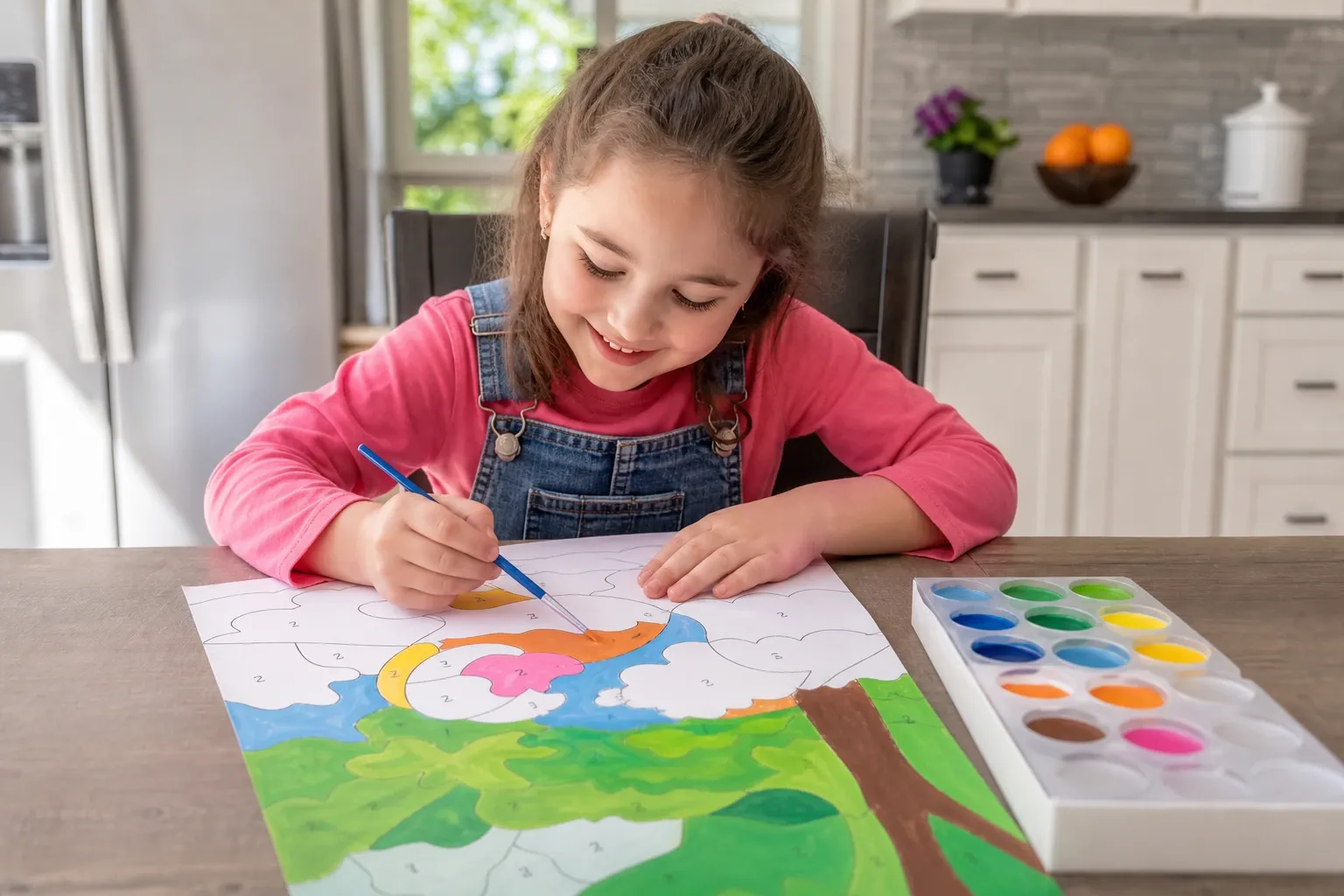
Making Paint by Numbers Genuinely Easy
Paint by numbers is one of the most approachable ways to paint — no drawing skill required, just patience and a steady hand. But a template can be too hard: tiny regions, dozens of near-identical colors, and numbers you need a magnifying glass to read will frustrate a beginner and defeat a child. The difference between an easy, joyful template and a frustrating one comes down to a few simple choices you control when you make it. This guide shows how to create easy templates for beginners and kids using the free Paint by Numbers Generator.
The Golden Rule: Fewer Colors, Bigger Regions
Difficulty in paint by numbers comes almost entirely from two things: how many colors there are, and how small the regions are. The two are linked — more colors always means more, smaller regions. So the single most effective way to make a template easy is to use fewer colors.
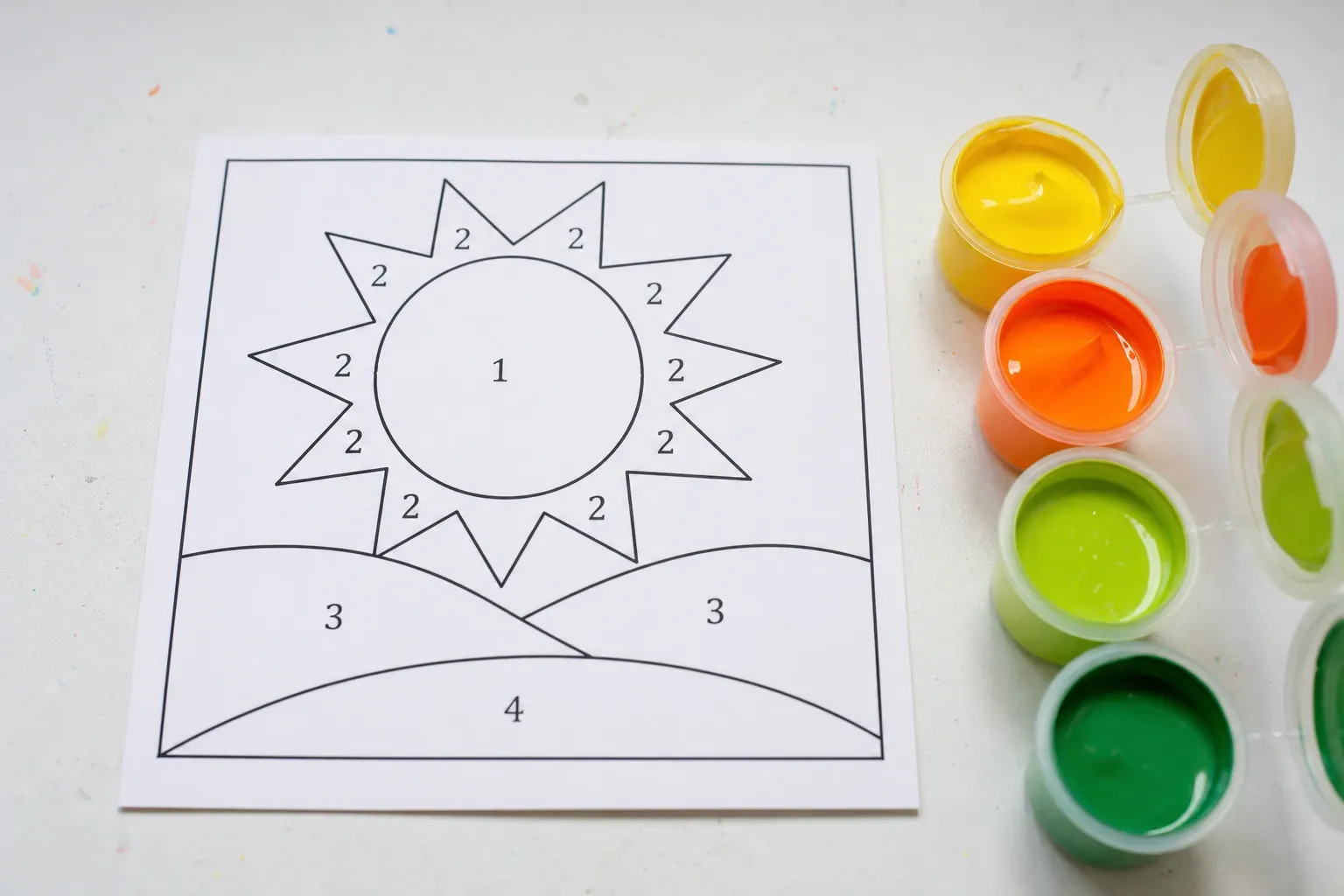
- Young children (4–7): 2–4 colors. Big, bold shapes they can fill without staying perfectly inside the lines.
- Older children (8–12): 4–8 colors. Enough variety to feel like a real picture, still very manageable.
- Adult beginners: 6–10 colors. A recognizable, satisfying result without the fiddly detail of a 20-color template.
If a template still looks busy, drop the color count by one or two and regenerate. It is almost always the fastest fix, and it makes the regions larger and easier to paint. Our companion guide goes deeper on how many colors a paint by numbers should have.
Choose Simple, High-Contrast Pictures
The source image matters as much as the settings. Easy templates come from simple pictures:
- Bold subjects: a single animal, a piece of fruit, a hot-air balloon, a cartoon-like scene. Clear shapes translate into clear regions.
- Strong contrast: bright, well-lit images with distinct colors separate cleanly into a few big areas.
- Plain backgrounds: a sky, a solid color, or a blurred backdrop keeps the template from fragmenting.
Avoid busy photos with lots of texture — dense foliage, crowds, detailed patterns — for a first project. They create many small regions even at low color counts. Save those for later, when the painter is ready for more of a challenge.
Print Big to Make It Even Easier
The same template is far easier to paint at a larger size, because every region and number grows with it. For children especially, print on a large sheet or a big canvas so little hands have room to work. Because the generator exports a scalable SVG, you can enlarge the template to A3, a poster, or a canvas without the lines turning blurry. A small print with the same number of regions can be surprisingly hard; a big print of the same template is a breeze.
Step by Step: Make an Easy Template
- Pick a simple, bright photo with a clear subject and a plain background.
- Open the generator and upload it. It will suggest a color count — for a kids' project, override it down to 3–5.
- Turn on Smooth edges. This flattens texture so the regions stay big and clean.
- Check the numbered view. Every region should comfortably hold a number. If some are tiny, lower the color count.
- Download the SVG and print big. Print the color legend too, so you know which paint is which.
Setting Kids Up for Success
- Use washable paints. Kid-friendly acrylics or tempera clean up easily and are forgiving of mistakes.
- Pre-label the paints. Put the matching number on each paint pot so children can find the right color quickly.
- Paint one number at a time. Finishing all of "1", then all of "2", is easier to follow than jumping around.
- Do not worry about the lines. Staying roughly inside each region is plenty. The outlines guide the eye even when the paint spills a little.
- Celebrate the finish. Frame it or hang it up. A completed painting is a real confidence builder.
Choosing Paints and Brushes for Small Hands
The right materials make a beginner's or child's first painting far less frustrating. For paint, washable acrylics or tempera are ideal: they are bright, dry quickly, and clean up with water. Squeeze a small amount of each color into a palette or an old plate rather than painting straight from the tube, so a spill is a drop, not a disaster. For brushes, give a child two sizes — a chunky flat brush for filling large regions fast, and a small round brush for the edges and any smaller areas. A cup of water and a rag or paper towel to wipe the brush between colors keeps the palette clean and the colors true. Cover the table with newspaper or a wipeable mat, put everyone in an old shirt, and the setup becomes part of the fun rather than a worry.
A Great Classroom and Party Activity
Because the generator is free and runs in the browser, it is perfect for group settings. A teacher can turn a class photo, a science topic (a butterfly, the solar system, a map), or a seasonal image into a simple template, print one per student, and hand out a shared set of paints. For a birthday party, make a template of the birthday child's favorite animal or character, print a copy for each guest, and you have a calm, creative activity that doubles as a party favor everyone takes home. Keep the color count low (3–5) so the whole group can finish in one sitting, and print large so sharing paints around a table is easy. Prepping several different templates in advance takes only minutes since you can regenerate each new photo in seconds.
Turning It Into a Learning Moment
Paint by numbers quietly teaches a lot. For young children it builds fine motor control, color recognition, and the patience to finish a task step by step. You can stretch the learning by talking through the palette: which colors are warm and which are cool, how mixing two paints makes a third, and why the picture is broken into numbered areas in the first place. Older kids curious about the "magic" of turning a photo into numbered shapes can read our plain-language explainer on how paint-by-numbers generators work — it is a gentle first look at how computers see and simplify images. A finished painting on the wall is proof that patience and a plan produce something real.
Growing Into Harder Projects
Once a painter is comfortable, you can gradually increase the challenge: add a couple more colors, choose a slightly more detailed photo, or print a little smaller. The generator makes this easy because you can regenerate the same photo at different color counts in seconds and compare. Increasing difficulty step by step keeps painting fun rather than overwhelming.
Private and Free, Every Time
Everything happens in your browser, so family photos of your kids stay on your device — nothing is uploaded to a server. And there is no cost or sign-up, so you can make as many easy templates as you like for birthday parties, rainy afternoons, or classroom activities.
Common Questions From First-Time Painters
What age is paint by numbers suitable for? With a simple, low-color template printed large, children as young as four or five can enjoy it with a little supervision. The key is matching the difficulty to the child: fewer colors and bigger regions for younger painters.
My child keeps painting outside the lines — is that a problem? Not at all. Paint by numbers is about the experience and the finished picture, not precision. The outlines guide the eye, and a little overlap between regions is invisible once the whole thing is painted. Praise the effort, not the neatness.
What if we run out of a color? Because the legend lists the exact color of each number, you can mix more from primary paints, or simply substitute a close shade. Nothing about the template locks you into specific paints.
Can we reuse a template? Yes. The download is yours to keep and reprint as many times as you like — handy for classrooms, parties, or a second attempt once the first one builds confidence. Since everything is free, there is no limit on how many templates you make.
Do we need special paper or canvas? No. Ordinary printer paper works for a first try; thicker paper, card, or a stretched canvas gives a sturdier result you can frame. Print at the largest size your printer and canvas allow for the easiest painting experience.
Conclusion
The recipe for an easy paint-by-numbers template is simple: pick a bold, high-contrast picture, use just a few colors, keep the regions large, and print big. Start low — 3 to 5 colors for kids, 6 to 10 for adult beginners — and only add complexity once the painter is ready. Make your first easy template now with the free Paint by Numbers Generator, and turn any photo into a relaxing project the whole family can enjoy.
References and Further Reading
- Color quantization — background on reducing an image to a small set of colors, the process behind the "fewer colors, bigger regions" rule described above.
- SVG (MDN Web Docs) — documentation for the vector format that lets you print a template large, at A3 or canvas size, without the lines turning blurry.