Introduction
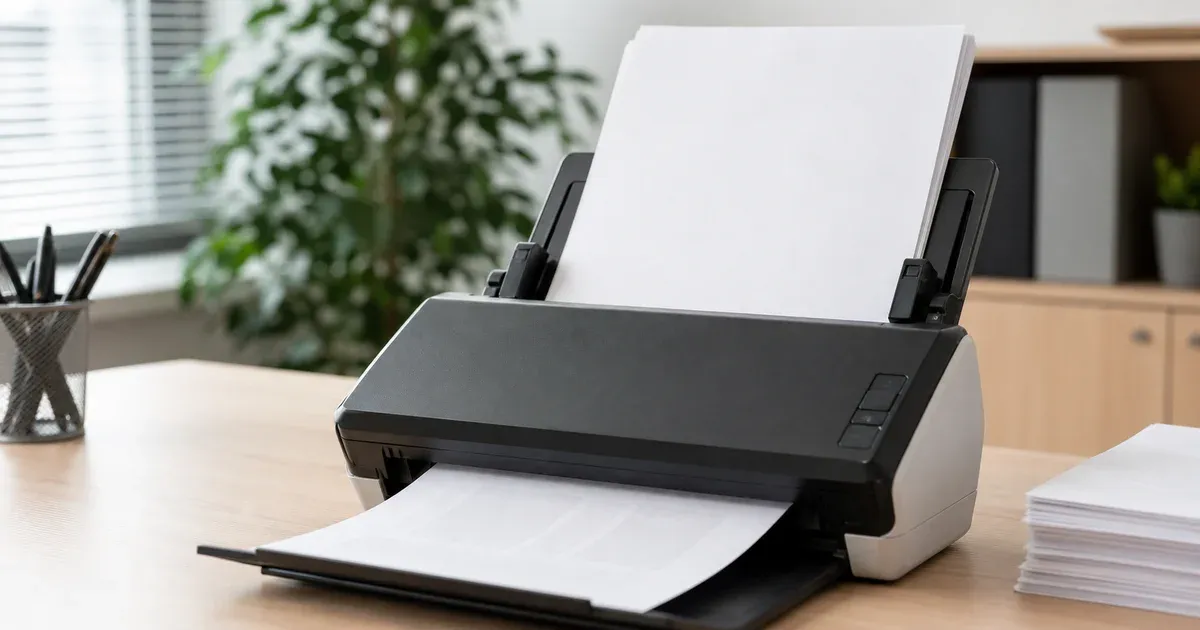
You feed a stack of double-sided pages into a scanner, run it once for the fronts and once for the backs, and combine the two resulting files — only to find the pages come out in an order that makes no sense: 1, 2, 12, 3, 11, 4, 10... This is one of the most common frustrations with document scanning, and it is not a bug. It's the predictable, mechanical consequence of how a single-sided (simplex) automatic document feeder physically handles a stack of paper across two passes. Once you understand exactly what the feeder does to the stack between those two passes, the fix takes thirty seconds with the right tool instead of a rescan.
This article walks through the mechanics of the problem in concrete terms, shows exactly what the resulting page sequence looks like, and explains the round-robin-plus-reverse fix that our PDF organizer applies. For background on why this fix can recombine pages from two separate scan files without any loss of quality, see our companion piece on how PDF pages are structured; for what happens when a scan also comes out sideways, see PDF page rotation, explained.
Why This Happens: Simplex Scanners and Double-Sided Originals
A duplex scanner — one with two sensors, or a single sensor and a mechanism that flips each sheet as it passes through — can capture both sides of a page in a single feed. Many consumer and small-office scanners, however, are simplex: single-sided only, one sensor, one pass per sheet. To digitize a stack of double-sided originals on a simplex scanner, the standard workaround is a two-pass manual duplex: load the stack, scan all the fronts in one pass, physically flip the entire stack over as a unit, reload it, and scan all the backs in a second pass.
The fronts pass is straightforward: the feeder pulls sheets from the top of the stack one at a time, in the same order the pages are stacked, so the front-side scan comes out correctly ordered — page 1's front, then page 2's front, then page 3's, and so on. The problem starts with the second pass.
What Happens When You Flip the Stack
To scan the backs, you don't turn each sheet over individually — you flip the entire stack over as one block, the way you'd flip a stack of pancakes. That single flip has two effects simultaneously: it exposes each sheet's back side to the scanner, and it reverses the stack's top-to-bottom order. The sheet that was physically on top of the stack (page 1) is now on the bottom. The sheet that was on the bottom (the last page) is now on top.
Feed that flipped stack in, and the scanner — which always reads from the top — captures the backs starting with the last page's back and ending with the first page's back. The fronts file comes out in forward order; the backs file comes out in reverse order. That mismatch, not any flaw in the scanner itself, is the entire root cause.
The Resulting Sequence, Concretely
Consider a six-sheet double-sided original — a 12-page document once both sides are counted. Number the pages 1 through 12 in reading order, so sheet 1 carries pages 1 (front) and 2 (back), sheet 2 carries pages 3 and 4, and so on through sheet 6 with pages 11 and 12.
The fronts pass, scanned top to bottom in original order, produces a file with pages in this order:
Fronts file: 1, 3, 5, 7, 9, 11
Flip the whole stack and scan the backs. The sheet that was on the bottom (sheet 6, carrying page 12) is now on top and gets scanned first; the sheet that was on top (sheet 1, carrying page 2) is now on the bottom and gets scanned last:
Backs file: 12, 10, 8, 6, 4, 2
If you simply place these two files one after another — fronts, then backs — you get a nonsensical order: 1, 3, 5, 7, 9, 11, 12, 10, 8, 6, 4, 2. Reading the document in that order jumps from page 1 straight to page 3, skipping the back of every sheet until the very end, then walks backward through the backs. No amount of careful scanning technique avoids this; it is the mechanical signature of a two-pass simplex scan on an unmodified stack.
The Fix: Reverse One Document, Then Interleave
The backs file isn't scrambled randomly — it's exactly the correct sequence, backward. Reverse the backs file (12, 10, 8, 6, 4, 2 becomes 2, 4, 6, 8, 10, 12), and it now runs in the same forward direction as the fronts file, just offset by one page each. From there, the correct final order falls out of taking one page from the fronts file, then one page from the reversed backs file, alternating: 1 (fronts), 2 (reversed backs), 3 (fronts), 4 (reversed backs), 5, 6... all the way to 11, 12 — the exact original reading order, recovered without a rescan.
That "take one from each list, alternating" step is precisely what our organizer calls interleave mode: a round-robin combination that takes page 1 of the first document, then page 1 of the second, then page 2 of the first, then page 2 of the second, and so on. Reversing is a separate, per-document toggle — you apply it to the backs document only, leaving the fronts document untouched, because only the backs pass was affected by the stack flip. Combined, these two independent settings — reverse on one document, interleave as the combination mode — solve the entire problem in one operation on two source files.
Why Per-Document Settings, Not a Single Global Toggle, Are Required
It's worth being precise about why the reverse toggle has to apply to one document and not the whole operation. If you reversed both files, you'd correctly flip the backs into forward order but also flip the fronts into backward order, undoing the very thing that was already correct. The fronts pass never touched the stack's order — only the backs pass did. A tool that only offers one global "reverse everything" switch cannot express this fix at all; it needs a reverse control scoped to each individual source document, applied independently. That is also why range selection, reversal, and rotation are each applied per document before the documents are combined — expanding one document's page list according to its own range, its own reverse toggle, and its own rotation, entirely independently of every other document, and only then merging the results into the final order. The reverse operation for the backs document and the interleave step that combines it with the fronts document are two separate, composable settings rather than one special-cased "duplex fix" button, which means the exact same mechanism also handles less common variants — for example, a scanner that flips the backs pass in the opposite physical direction, or a workflow where the backs were scanned starting from a different sheet than expected. Whatever the exact flip behavior of a given scanner or workflow, the fix is still: figure out which document (if any) needs reversing, and interleave.
Verifying the Result Before You Commit
Because interleaving and reversing are both purely structural operations — reordering which existing page goes where, without altering the pages themselves, as explained in our article on how PDF pages are structured — a page-organizing tool can show you a live thumbnail grid of the combined output before you download anything. Scroll through the thumbnails: front, back, front, back, in order, is exactly what a correctly reconstructed double-sided document should look like. If a handful of pages are still out of place — for instance, if your scanner's backs pass happened to start from the wrong end for a particular batch — individual thumbnails can be dragged to a new position, rotated, or deleted directly in that same grid, without starting over or rescanning anything.
A Note on Odd Page Counts and Blank Backs
Real-world stacks don't always interleave perfectly. A single-sided cover page, or an odd number of sheets where the last one only has content on the front, will make the two source files unequal in length. Round-robin interleaving handles this gracefully: it takes page k from every document that still has a page k, and once a shorter document runs out, the longer document's remaining pages are simply appended in order at the end — rather than being dropped or forcing an error. So a 12-page fronts file interleaved with an 11-page backs file (missing the final blank back) still produces every page in the correct relative order, with the fronts document's last page landing at the very end where it belongs.
How to Recognize the Problem From the Files Alone
Before you even open a page-organizing tool, you can usually confirm you're looking at this exact scenario just from the two files' page counts. If the fronts file and backs file have the same page count, or differ by exactly one (a document with an odd number of sheets, where the last sheet's back was left blank and not scanned at all), that's the signature of a two-pass simplex duplex scan. If instead the counts differ by a large or unpredictable amount, something else is going on — a jammed feed, a skipped sheet, or a batch that mixed single-sided and double-sided originals — and interleaving alone won't fix it. Sorting that out first, by recounting the physical originals against both files, saves you from confidently reconstructing the wrong sequence.
When the Backs File Is Already in the Right Order
Not every automatic document feeder handles the flipped pass the same way. Some feeders pull sheets from the bottom of the tray rather than the top, or some scanning software re-sorts the backs pass automatically before saving the file, in which case the backs file may already come out in forward order and applying the reverse toggle would scramble it instead of fixing it. There's no need to guess: because reversing and interleaving are both purely structural, order-only operations that never touch page content, a page organizer can show you the combined result in a live thumbnail grid before anything is downloaded. If the preview alternates front, back, front, back correctly, the reverse toggle was applied to the right document. If instead you see two fronts in a row followed by two backs, toggle reverse on the other document (or off entirely) and check again — no rescanning required either way.
True Duplex Scanners Have a Related but Different Setting
It's worth distinguishing this two-pass simplex problem from a related setting on scanners and multifunction printers that genuinely support duplex in a single pass: long-edge versus short-edge binding. That setting tells the device which physical edge of the page the "spine" is on for double-sided output, and getting it wrong on a true duplex scan doesn't reverse the page order — every page still comes out in the correct sequence — but it can make every other page appear upside-down relative to its neighbor when the file is read back double-sided. That's a rotation problem on alternating pages rather than an ordering problem, and it's covered by the per-page rotate control described in our rotation article rather than by reversing or interleaving. The two symptoms look superficially similar — "something about every other page is wrong" — but they come from different mechanisms and need different fixes, which is exactly why it's worth checking the thumbnail preview carefully before assuming which one you're dealing with.
Conclusion
The reverse-order problem isn't a scanner malfunction — it's the direct, predictable result of flipping a physical stack of paper as a single block between two scanning passes. The fronts come out forward; the backs come out backward, offset by one page. Because that reversal is exactly and only a reordering — not a change to any page's actual content — it can be corrected after the fact, losslessly, by reversing the backs document and interleaving it with the fronts, exactly as our PDF organizer does with a per-document reverse toggle and an interleave mode. No rescanning, no quality loss, and a live thumbnail preview to confirm the fix worked before you download the result.