
Adding time-based one-time password (TOTP) two-factor authentication to your own application is one of the highest-value security features you can ship, and it is far simpler than most developers expect. TOTP is the algorithm behind Google Authenticator, Authy, 1Password, Microsoft Authenticator, and every other app that shows a rotating six-digit code. It is fully standardized in RFC 6238 (which builds on the HMAC-based one-time password algorithm in RFC 4226), and because the standard is universal, any compliant authenticator app works with any compliant server. This guide walks through the entire implementation — enrollment, storage, and verification — in a framework- and language-neutral way, so you can map it onto whatever stack you already use. If you want the underlying theory of how the codes are computed, our companion pillar on how TOTP authentication works covers the HMAC and time-step math in depth; here we focus on the practical server-side flow.
First Rule: Do Not Hand-Roll the HMAC
Before writing a single line, internalize this: mature, well-audited RFC 6238 libraries exist in every mainstream language, and you should use one rather than implementing the HMAC-SHA1 core yourself. The algorithm itself is short, but the failure modes are subtle — constant-time comparison, correct big-endian counter encoding, and base32 handling all offer opportunities to introduce silent bugs or timing side channels. Reach for something like otplib (JavaScript/TypeScript), pyotp (Python), rotp (Ruby), the github.com/pquerna/otp package (Go), or a vetted equivalent. Your job is to wire the enrollment and verification flow correctly around that library, and to store secrets safely. That is where real applications actually go wrong, not in the HMAC.
The Enrollment Flow at a Glance
Enrollment is the one-time handshake where the server and the user's authenticator app agree on a shared secret. The whole flow is: generate a random secret, encode it, show it to the user as a QR code (and as text for manual entry), have the user confirm by typing a code their app produces, and only then mark two-factor as active on the account. That final confirmation step matters — never enable 2FA until the user has proven their app is producing correct codes, or you risk locking them out of their own account.
Step 1 — Generate a Cryptographically Random Secret
The shared secret is the root of the entire scheme, so it must come from a cryptographically secure random source, never from Math.random(), a timestamp, or a hash of the username. RFC 4226 recommends a shared secret of at least 128 bits and suggests 160 bits (20 bytes), which is the de facto standard that authenticator apps expect. Generate 20 random bytes from your platform CSPRNG — crypto.getRandomValues() in the browser, crypto.randomBytes() in Node, secrets.token_bytes() in Python, crypto/rand in Go.
Those raw bytes are then base32-encoded per RFC 4648, because that is the alphabet the Key URI format and authenticator apps use. Base32 uses the 26 uppercase letters plus the digits 2–7, which makes it safe to display, print, and type by hand without the case-sensitivity and ambiguity problems of base64. A 20-byte secret becomes a 32-character base32 string. Many authenticator apps ignore the trailing = padding, so most libraries emit the secret unpadded. You can see exactly what a valid secret and its resulting codes look like using our TOTP generator, which runs entirely in your browser and is a convenient way to sanity-check your server implementation against a known-good reference.
Step 2 — Build the otpauth:// URI
The QR code an authenticator scans does not contain a picture or an account — it contains a single line of text called a Key URI, a string beginning with otpauth://totp/. This de facto format, originally defined by Google Authenticator and now supported universally, packs everything the app needs into one URI. Its shape is:
- Type:
totp(time-based) rather thanhotp(counter-based). - Label:
Issuer:account, for exampleAcme:[email protected]. The account is usually the user's email or username so they can tell entries apart. - secret: the base32 secret from Step 1 (required).
- issuer: your service name, repeated as a query parameter. Always include it — apps use it for the display name and to prevent duplicate entries.
- algorithm, digits, period: optional parameters that default to
SHA1,6, and30respectively.
A critical detail for interoperability: only include algorithm, digits, and period when they differ from the defaults. Some older authenticator apps silently ignore these parameters and always assume SHA1/6/30; if you emit a non-default value that the app ignores, its codes will never match your server. Unless you have a specific reason to deviate, stick with the defaults and omit the parameters entirely, producing a URI like otpauth://totp/Acme:[email protected]?secret=BASE32SECRET&issuer=Acme. For a full field-by-field breakdown of this string, see our companion pillar on the anatomy of a 2FA QR code. If you do have a reason to use SHA-256 or eight digits, read our sibling guide on when services use SHA-256 or 8-digit TOTP first, because the compatibility tradeoffs are real.
Step 3 — Render the URI as a QR Code
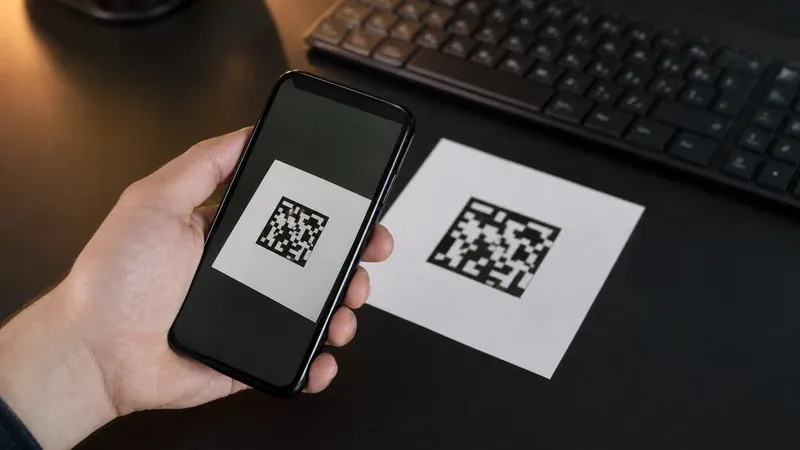
Encode that otpauth:// string into a QR code and display it during enrollment. Any QR library works — the QR code is just a visual container for the URI text, nothing more. Always show the base32 secret as plain text alongside the QR image too, so users on desktop authenticators, or anyone whose camera fails, can enter the secret manually. Generate the QR image on the server or client from the URI you built; do not send secrets to a third-party QR-image web service, because that would leak the shared secret to an outside party.
Step 4 — Store the Secret Encrypted at Rest
This is the step applications most often get wrong. The shared secret is a long-lived credential equivalent in sensitivity to a password: anyone who reads it can generate valid codes forever. Never store TOTP secrets in plaintext. Encrypt each secret at rest using a symmetric key (for example AES-GCM) held outside the database — in a key-management service, an environment secret, or a hardware security module — and decrypt only in memory at verification time. Unlike a password, you cannot hash the secret, because verification requires the original value to recompute codes; encryption with a separately managed key is the correct pattern. Associate the encrypted secret with the user record, and store it only after the user confirms enrollment in Step 5.
Step 5 — Verify a Code and Tolerate Clock Drift
To verify a code the user submits, the server computes the expected TOTP for the current time step and compares it to what the user typed. A time step is the number of 30-second periods since the Unix epoch: floor(currentUnixTime / 30). You feed that counter and the decrypted secret into your library's TOTP function and get the expected digits.
The complication is clock drift. The user's phone and your server are never perfectly synchronized, and a code the user reads a second before it rotates may arrive at your server after the step boundary. RFC 6238 explicitly anticipates this and recommends validating codes across a small window of adjacent time steps. The standard practice is to accept the current step plus or minus one step (±1), which tolerates up to roughly 30 seconds of drift in each direction while keeping the attacker's guessing window tiny. Do not widen the window to several minutes to be forgiving — every extra step you accept linearly multiplies the number of codes valid at once, weakening the second factor. Also use a constant-time comparison when checking the code, which any good library does for you, to avoid leaking information through response timing.
Step 6 — Rate-Limit and Prevent Replay
A six-digit code has only one million possible values, so verification endpoints must be defended against brute force. Rate-limit verification attempts aggressively — a small number of failures per account per minute, with exponential backoff or temporary lockout — so an attacker cannot simply spray guesses. Without rate limiting, a determined attacker with a valid ±1 window could plausibly brute-force a code within its lifetime.
Second, prevent replay. Because a code stays valid for its whole time step (and your acceptance window), a code intercepted over the shoulder or via a phishing proxy could be submitted twice. RFC 6238 recommends that a one-time password already accepted must not be accepted again. Implement this by storing the last successfully used time step for each user, and rejecting any verification whose step is less than or equal to the stored value. Once step N has been consumed, steps N and earlier are dead — the user simply waits for the next code. This closes the replay window at the cost of one extra small column in your database.
Step 7 — Issue One-Time Recovery Codes
Phones get lost, wiped, and replaced. If the authenticator secret is the only way in, a lost phone means a permanently locked account and a support burden. At enrollment, generate a set of one-time recovery codes — typically eight to ten random, high-entropy strings — show them to the user once, and instruct them to store them somewhere safe. Store these codes hashed (like passwords), mark each as consumed the moment it is used, and let a valid recovery code substitute for a TOTP code during login. Recovery codes turn a lost-device incident from an account-recovery crisis into a minor inconvenience.
A Conceptual Outline
Pulling the pieces together, the server logic is small. In language-neutral pseudocode, enrollment is:
secretBytes = csprng(20)secretB32 = base32Encode(secretBytes)uri = "otpauth://totp/" + label + "?secret=" + secretB32 + "&issuer=" + issuer- show
urias a QR plussecretB32as text; keepsecretB32in a pending state until confirmed.
And verification is:
step = floor(now / 30)- for
sin[step-1, step, step+1]: ifconstantTimeEqual(totp(secret, s), submittedCode)ands > lastUsedStepthen accept, setlastUsedStep = s, done. - otherwise reject and count the attempt against the rate limit.
Every totp() call above is a single function from your chosen library. You never touch the HMAC directly.
Testing Your Implementation
RFC 6238 publishes an official appendix of test vectors — specific secrets, timestamps, and the exact codes they must produce for SHA1, SHA256, and SHA512. Run your library against those vectors first; if it matches, your core is correct. Then do an end-to-end test: enroll with a real authenticator app, and independently cross-check the same secret in our browser-based TOTP generator to confirm all three — the app, the tool, and your server — agree on the current code. When they line up, you know your time steps, base32 handling, and URI are all correct.
Common Mistakes to Avoid
A few recurring bugs account for most broken TOTP implementations. Emitting a non-default algorithm or digits parameter that the app ignores produces codes that never match. Storing the secret before the user confirms enrollment locks people out when they mistype. Forgetting to convert the time step to a big-endian 8-byte counter (if you do drop below a library) breaks the HMAC input. Using a case-sensitive or non-RFC-4648 base32 variant corrupts the secret. And accepting too wide a verification window, or skipping replay protection, quietly weakens the whole factor. Follow the seven steps above, lean on a vetted library, and TOTP becomes one of the most robust and low-maintenance security features in your application.