Most of the time, setting up an authenticator app is invisible: you scan a QR code, six digits appear, and they refresh every 30 seconds. That smooth experience exists because almost every service and almost every app agree on the same defaults. But a minority of services deliberately step off the defaults — they issue 8-digit codes, use SHA-256 or SHA-512 instead of SHA-1, or refresh every 60 seconds instead of 30. When that happens, and your app does not honor those choices, you get the single most confusing failure in two-factor authentication: a code that looks perfectly valid, is typed perfectly, and is rejected every single time. This guide explains exactly which parameters can change, where they are recorded, and how to confirm them so you never chase a phantom bug again.
The RFC 6238 Defaults: SHA-1, 6 Digits, 30 Seconds
Time-based one-time passwords are defined by RFC 6238, which builds directly on the HOTP algorithm from RFC 4226. TOTP is simply HOTP with the moving counter replaced by the number of fixed time steps elapsed since the Unix epoch. Three parameters govern the output, and the standard defines a default for each:
- Hash algorithm: the HMAC underneath uses SHA-1 by default. RFC 6238 also explicitly permits SHA-256 and SHA-512 variants.
- Digits: RFC 4226 defines a dynamic truncation step that produces a code of a chosen length. Six digits is the near-universal default; the standard permits values from 6 up to 8.
- Time step (period): RFC 6238 recommends a default time-step size of 30 seconds. Any value is technically possible, but 30 is the interoperable norm.
If both the server and your app assume these three defaults, they never have to communicate them — the agreement is implicit, and the codes match. The trouble begins the moment one side quietly changes a value and assumes the other will follow. To understand how they are supposed to stay in sync, it helps to read the companion explainer on how TOTP authentication works, which walks through the HMAC and truncation math step by step.
Where the Parameters Live: the otpauth:// URI
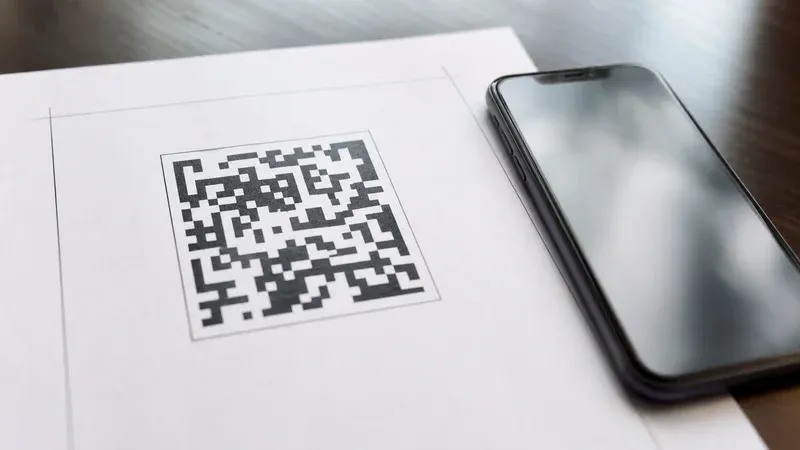
When you scan an enrollment QR code, you are not scanning the secret alone. The QR encodes a single URI in the Key URI Format originally documented by Google Authenticator. A typical enrollment string looks like this:
otpauth://totp/Example:[email protected]?secret=JBSWY3DPEHPK3PXP&issuer=Example&algorithm=SHA256&digits=8&period=60
Every non-default parameter is spelled out right there in the query string. The algorithm parameter carries SHA1, SHA256, or SHA512; digits carries 6 through 8; period carries the time step in seconds. When these parameters are absent, the app is expected to fall back to the defaults (SHA1, 6, 30). When they are present, they are the service telling every compliant app precisely how to compute the code. This is the ground truth — not the marketing copy on the setup page, not a support article, but the literal parameters embedded in the QR you scanned.
Why a Service Would Deviate From the Defaults
Deviating is uncommon, but the reasons are legitimate:
- Compliance and internal policy. Some organizations standardize on SHA-256 across all cryptographic primitives and extend that rule to their OTP stack, even though SHA-1 as used inside HMAC-OTP is not considered broken for this purpose.
- Longer codes for higher-value systems. Eight digits enlarge the guessing space per attempt, which some banking and enterprise systems prefer as a defense-in-depth measure alongside rate limiting.
- Hardware token compatibility. A service may already issue physical OTP tokens configured for 8 digits or a 60-second window, and its software enrollment must match those tokens exactly.
- Reduced clock-sync pressure. A 60-second period tolerates larger clock drift between the server and the user's device, which can reduce support tickets in populations with poorly synchronized clocks.
None of these are wrong. The problem is never the choice itself — it is whether the choice survives the trip from the QR code into your authenticator app.
The Interoperability Trap: Apps That Ignore the Parameters
Here is the failure mode that costs people hours. The Key URI Format documentation itself carries a well-known caveat: some authenticator implementations ignore the algorithm, digits, and period parameters entirely and always assume SHA-1, 6 digits, and 30 seconds. Historically this included widely used apps. An app that behaves this way will scan an algorithm=SHA256&digits=8&period=60 URI without any error, store the secret, and then cheerfully generate a 6-digit SHA-1 code on a 30-second cycle — the wrong code, produced with total confidence.
This is uniquely maddening because nothing looks broken. There is no error message at enrollment. The app shows a code and a countdown. You type it carefully. The server rejects it, because the server is computing an 8-digit SHA-256 code and comparing it against your 6-digit SHA-1 answer. You assume you mistyped, or that your clock is off, and you try again — with the same guaranteed failure. The mismatch is silent by construction, which is exactly why it survives so many troubleshooting attempts. If you are stuck in this loop, the dedicated walkthrough on why my 2FA code is not working covers the full checklist, but non-default parameters are one of the hardest causes to spot precisely because the app gives no hint that it dropped them.
How to Confirm Which Parameters a Service Uses
Because you cannot trust an app to tell you what it stored, confirm the parameters at the source — inside the QR code itself. The reliable method is to decode the enrollment QR into its raw otpauth:// URI and read the query string:
- Decode the QR to text. Instead of scanning the QR with your phone, capture it as an image and decode it to reveal the underlying URI. Our TOTP generator can read an
otpauth://URI so you can see exactly whichalgorithm,digits, andperiodthe service embedded. - Look for the three query parameters. If you see
algorithm=SHA256,digits=8, orperiod=60, the service has deviated and every app you use must honor those values. If those parameters are absent, the service is using the defaults and any compliant app will work. - Reproduce the code with matching settings. Feed the same secret and the same parameters into a tool whose advanced settings let you select the algorithm, digit count, and period explicitly. If that tool's code matches what the server expects, you have confirmed the parameters; if your phone app shows a different code, your phone app is the component ignoring them.
This turns an invisible mismatch into a two-minute check. The QR is the contract; decoding it tells you the terms.
SHA-256 Is Not a Security Dial You Can Flip
A common misconception is that switching an existing account from SHA-1 to SHA-256 makes your login more secure, and that you can do it yourself in a better app. You cannot, and it would not help. The algorithm, digit count, and period are a shared agreement: the value the server uses to generate and verify the code must be identical to the value your app uses to produce it. If the server verifies with SHA-1 and your app produces SHA-256, the codes never match and you simply lock yourself out. There is no unilateral upgrade — only a negotiated one, and that negotiation happens at enrollment time via the URI, not through a setting you toggle afterward.
It is also worth being clear about the actual security stakes. The SHA-1 collision attacks that retired SHA-1 from certificates do not translate into a practical break of HMAC-SHA-1 as used in TOTP, which relies on the pre-image and keyed-MAC properties of the construction rather than collision resistance. So SHA-256 in a TOTP context is primarily a matter of interoperability and organizational policy, not a meaningful jump in the strength of your one-time codes. Choosing it because it "sounds stronger" only creates opportunities for the silent-mismatch bug described above.
Digits: 6, 7, or 8
The digit count changes the size of the code space per attempt. Six digits give a million possibilities; eight give a hundred million. Combined with server-side rate limiting — which caps how many guesses an attacker gets before the account locks — six digits are already sufficient for most consumer threat models, which is why the default has held for over a decade. Eight digits are a reasonable belt-and-suspenders choice for high-value systems, but they buy real protection only when rate limiting is weak or absent. The practical takeaway is unchanged: whatever the digit count, your app must be told, and the only trustworthy source of that instruction is the digits parameter in the URI.
Period: 30 Versus 60 Seconds
The period sets how long each code stays valid before the next one is computed. Thirty seconds is the interoperable default; sixty is the most common deviation. A longer period gives the user more time to type and tolerates larger clock skew between the device and server, at the cost of a slightly longer window in which a captured code remains usable. Servers commonly accept a code from the immediately previous and next step as well, to absorb small clock differences — but that grace window does not rescue an app that is running the wrong period entirely. If the URI says period=60 and your app assumes 30, the two are computing codes for different time steps and will almost never align.
Matching the Parameters in Our Generator
Our TOTP generator exposes the three parameters as advanced settings precisely so you can reproduce any service's configuration. Paste the shared secret, expand the advanced options, and set the algorithm (SHA-1, SHA-256, or SHA-512), the digit count (6 to 8), and the period (in seconds) to match what you decoded from the QR. If you would rather not read the query string by hand, paste the whole otpauth:// URI and let the tool parse the parameters for you. The code the tool produces will match the server exactly when the settings match — and diverge in a diagnostic way when they do not, which is what makes it useful for confirming whether your phone app is the culprit. Everything runs locally in your browser; the secret is never transmitted.
A Simple Rule to Remember
When TOTP "just works," the defaults were in play on both sides. When it stubbornly refuses to work despite a correctly typed code and a synchronized clock, suspect a non-default parameter that one component silently dropped. Decode the QR, read the algorithm, digits, and period, and make every app honor them. The specification gives services the freedom to deviate; it is on the apps — and on you, when an app misbehaves — to carry those deviations faithfully from the QR code all the way to the six, seven, or eight digits you finally type.