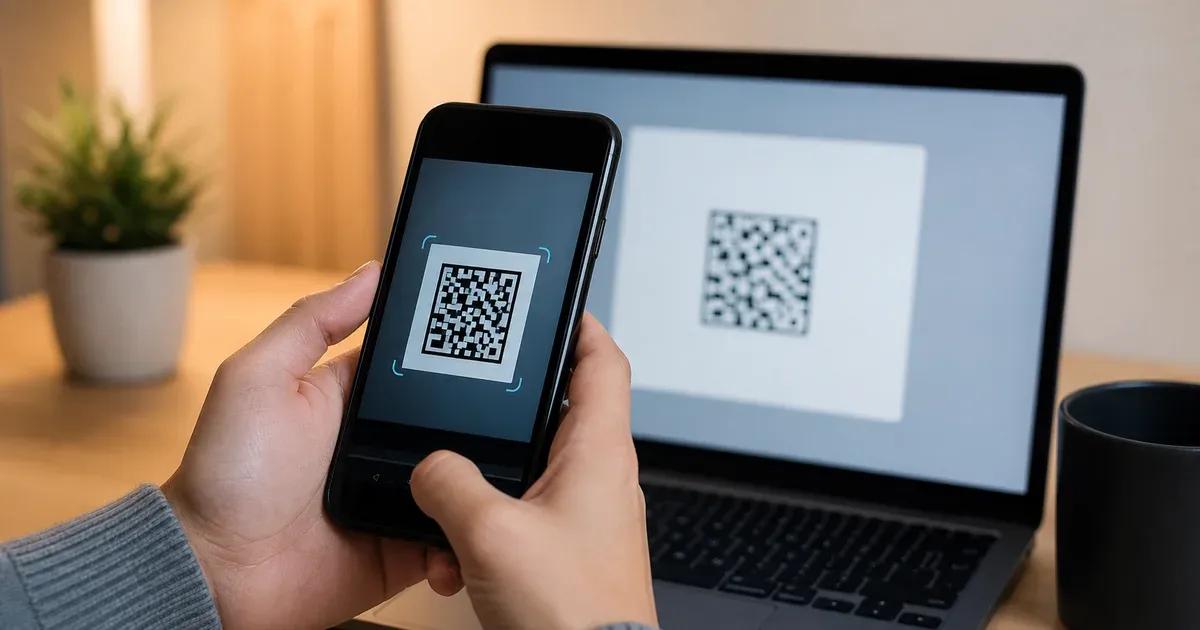
Every time you turn on two-factor authentication and a website shows you a little black-and-white square to point your phone at, you are looking at one of the most quietly standardized objects on the modern web. The square is a QR code, and it carries a single line of text called a Key URI — an otpauth:// string that tells your authenticator app everything it needs to start producing six-digit codes. This article opens that square up and names every part inside it, because once you can read the URI by hand, 2FA stops being magic and becomes a format you fully control. If you want the deeper theory of how the codes themselves are computed, our companion pillar on how TOTP authentication works covers the HMAC and time-step math; here we stay focused on the enrollment payload.
The QR Code Does Nothing Cryptographic
The single most important thing to understand — and the fact that surprises almost everyone — is that the QR code performs no cryptography whatsoever. It does not encrypt, sign, hash, or protect anything. A QR code is purely a two-dimensional way of encoding text so a camera can read characters without a human typing them. The QR standard (ISO/IEC 18004) defines nothing more than how to paint bits as light and dark modules with error correction so the pattern survives a smudge or a bad camera angle. Decode the square and you get back exactly one thing: a plain-text string beginning with otpauth://.
That means the QR code and the text it contains are informationally identical. Anyone who can read the URI can build the QR code, and anyone who can decode the QR code recovers the URI verbatim. There is no extra secret hidden in the pixels. The convenience of the square is entirely about avoiding transcription errors when a long Base32 secret has to move from a website into a phone — nothing more. Keep that equivalence in mind for the rest of this guide, because it is the key to both using and securing 2FA setup.
The Key URI Format at a Glance
The string encoded in a 2FA QR code follows the Key URI Format, a convention originally published by Google for Google Authenticator and since adopted by essentially every authenticator app — Authy, Microsoft Authenticator, 1Password, Bitwarden, Aegis, and the rest. It is a standard URI, so it decomposes into the same pieces every URI does: a scheme, a host, a path, and a query string. Laid out abstractly it looks like this:
otpauth://TYPE/LABEL?PARAMETERS
A concrete, genuine example — a made-up secret for the fictional account [email protected] at a service called ACME Co — reads:
otpauth://totp/ACME%20Co:[email protected]?secret=JBSWY3DPEHPK3PXP&issuer=ACME%20Co&algorithm=SHA1&digits=6&period=30
Every field in that line has a defined job. Over the next sections we take them one at a time, from the leftmost scheme to the last query parameter.
The Scheme: otpauth://
The URI opens with the scheme otpauth followed by ://. A scheme is the part of any URI that says what kind of resource follows and which handler should process it — https for web pages, mailto for email addresses, and here otpauth for one-time-password enrollment. On a phone, registering an app as the handler for the otpauth scheme is what lets you tap an otpauth:// link and have your authenticator open ready to add the account. The scheme is not decoration; it is the routing label that turns a string into an actionable 2FA import.
The Host: totp Versus hotp
Immediately after otpauth:// comes the type, which occupies the host position of the URI. There are exactly two valid values, and they name the two algorithms defined by the IETF for one-time passwords:
totp— Time-based One-Time Password, defined in RFC 6238. The code changes on a fixed clock schedule, typically every 30 seconds. This is what virtually every website means by "2FA" today.hotp— HMAC-based One-Time Password, defined in RFC 4226. The code advances by an integer counter that steps forward each time a code is used, rather than by the clock. It is far rarer in consumer setups and mostly appears with hardware tokens.
The difference matters because the two types take different mandatory parameters. A totp URI may specify a period (the length of each time step); a hotp URI must instead specify a counter (the starting value of the moving counter). Choosing the wrong type at import produces codes the server will reject every time, because the app and the server would be advancing on incompatible schedules. For a plain-language comparison of TOTP against the other second factors you might be offered, our sibling pillar on TOTP vs SMS vs passkeys puts each in context.
The Label: issuer:account, URL-Encoded
After the type comes a slash and then the label, which is the human-readable name the account will show under in your authenticator's list. The label is the URI's path segment, and it follows a specific convention: an optional issuer prefix, a literal colon, and then the account name — Issuer:account. In the example above that segment is ACME%20Co:[email protected], which your app displays as "ACME Co" as the provider and "[email protected]" as the account.
Because the label lives in a URI, it must be URL-encoded. That is why the space in "ACME Co" appears as %20: a raw space is not legal inside a URI path, so it is percent-encoded. The same applies to any other reserved or non-ASCII character an issuer or account name might contain. The colon that separates the issuer prefix from the account name is meaningful structure, so a colon that is genuinely part of a name would itself be encoded as %3A to avoid being mistaken for the separator. When you decode a QR by hand, reverse the percent-encoding to recover the readable name; when you write one, encode any spaces and special characters or your app may split the label in the wrong place.
The Query Parameters
Everything after the ? is a set of key=value pairs joined by &, exactly like the query string on a normal web URL. These parameters carry the actual cryptographic configuration. We take them in order of importance.
secret — the only truly required field
The secret is the shared key that both the server and your app hold, and it is the single field without which nothing works. It is encoded in Base32 as defined in RFC 4648 — an alphabet of the twenty-six uppercase letters A–Z and the six digits 2–7, chosen specifically because it avoids visually confusable characters like 0/O and 1/I and is safe to type by hand. Base32 is used rather than the more compact Base64 precisely because these secrets sometimes have to be read off a screen and keyed in manually, and Base32's restricted alphabet survives that far better. The app decodes the Base32 text back into the raw bytes of the key, and those bytes feed the HMAC that generates every code. Because the secret is the whole game, it is also the whole risk — a point we return to below.
issuer — who the account belongs to
The issuer parameter names the service that owns the account, and it should match the issuer prefix in the label. It exists partly for redundancy and partly because it is the more reliable of the two places apps read the provider name from. Specifying it in both spots — the label prefix and the query parameter — is the recommended belt-and-suspenders practice, and mismatches between them can cause an app to display a confusing or duplicated entry. It carries no cryptographic weight; it is purely for correct display and for letting your app group and de-duplicate accounts sensibly.
algorithm — SHA1, SHA256, or SHA512
The algorithm parameter selects the hash function used inside the HMAC that produces the code. Three values are recognized: SHA1, SHA256, and SHA512. If the parameter is omitted, the default is SHA1, and — perhaps counterintuitively — the overwhelming majority of real-world 2FA deployments use exactly that default. The reason is interoperability, not weakness: within the truncation construction of RFC 6238, the practical security of TOTP does not hinge on the collision resistance of the underlying hash, and SHA1 is the value every authenticator app is guaranteed to support. If a server does specify SHA256 or SHA512, the app must use the matching function or every code will be wrong; a silent mismatch here is a classic cause of "my codes never work" support tickets.
digits — 6, 7, or 8
The digits parameter sets how many decimal digits the displayed code has. The default and near-universal value is 6; some higher-security deployments use 8. Mechanically, the algorithm produces a large number and then takes it modulo ten raised to the number of digits, so requesting eight digits simply keeps more of that number. More digits mean a slightly larger space an attacker must guess within a single time window, though the dominant protection is still the short validity period rather than the digit count. As with algorithm, the app must render the same number of digits the server expects or the comparison fails.
period — the length of a time step
The period parameter applies only to totp URIs and gives the number of seconds each code stays valid. The default is 30, which is what the countdown ring in your authenticator app is animating. Some deployments use 60 for a gentler experience on slow networks. The period is what turns wall-clock time into the discrete step counter that RFC 6238 feeds into the HMAC: the current time step is the Unix time divided by the period, floored to an integer. A wrong period means the app and server compute different step numbers and never agree — and a device whose clock has drifted by more than a step or two hits the same failure even with the correct period, which is why "check your phone's time is set automatically" is the first thing 2FA troubleshooting guides tell you.
counter — required only for hotp
For completeness: when the type is hotp rather than totp, the URI must carry a counter parameter giving the initial counter value instead of a period. Because hotp advances by use rather than by time, the two sides must agree on where the counter starts. You will rarely meet this in a phone-app enrollment, but it is part of the same format and worth recognizing.
Reading the Whole URI Back
Put the pieces together and the earlier example decodes cleanly. otpauth://totp/ACME%20Co:[email protected]?secret=JBSWY3DPEHPK3PXP&issuer=ACME%20Co&algorithm=SHA1&digits=6&period=30 says: this is a time-based token (totp); it belongs to the account [email protected] at ACME Co; the shared key is the Base32 string JBSWY3DPEHPK3PXP; the codes are computed with HMAC-SHA1, are six digits long, and roll over every thirty seconds. That is the complete contract between a server and an authenticator app. Nothing else is exchanged — no account password, no personal data, just the parameters needed to keep two clocks producing the same six digits.
What to Do With a QR You Cannot Scan
Sometimes the camera route simply is not available. You might be setting up 2FA on the same device that is displaying the code, using a desktop authenticator with no camera, working over a remote session, or dealing with a printed backup where the square scanned poorly. Because the QR is only an encoding of text, there is always a text path, and it is worth knowing both directions:
- Use the "manual entry" or "setup key" option. Nearly every site that shows a QR also exposes the underlying secret as a short Base32 string beneath it, often behind a "can't scan?" or "enter code manually" link. Type that
secretinto your app's manual-add screen, along with the issuer and account name, and — if the site used non-default settings — the algorithm, digit count, and period. This reconstructs the same account the QR would have. - Recover the full otpauth:// URI directly. If you have the raw URI (some sites let you reveal or copy it, and password managers store it), you can paste it straight into apps that accept a URI, or feed the whole string to a TOTP tool to start generating codes immediately. It contains every parameter, so nothing is left to guess.
- Decode the QR image to get the URI. If all you have is the image and no manual key, decoding the QR with any offline QR reader hands back the exact
otpauth://string, from which you read the secret and settings. Prefer a tool that runs locally rather than one that uploads the image, for the reasons in the next section.
Our TOTP generator is built for exactly this: paste an otpauth:// URI or type a Base32 secret with your chosen algorithm, digits, and period, and it produces the live six-digit code and countdown entirely in your browser, so you can verify a setup, migrate an account, or hold a backup without installing anything.
Security: A 2FA QR Is as Sensitive as a Password
Everything above leads to one blunt conclusion. Because the QR code is nothing but a container for the secret, and the secret is the entire basis on which every future code is generated, a 2FA QR code is exactly as sensitive as a password — arguably more so, since it is the second factor specifically meant to survive a stolen password. Anyone who photographs your enrollment QR, screenshots it, or reads the Base32 key can generate valid codes for your account indefinitely, from anywhere, without ever touching your phone. The whole point of the second factor evaporates the moment the secret leaks.
Practical consequences follow directly. Do not post enrollment QR codes in screenshots, chat threads, help-desk tickets, shared documents, or public forums; treat the image with the same care as the password itself. Be wary of "scan this to check your QR" web pages that ask you to upload the image — that upload hands your secret to a stranger's server. Prefer tools that decode and generate locally. And if a secret is ever exposed, the fix is the same as for a leaked password: go back to the service, disable and re-enroll the authenticator so a fresh secret is issued, which permanently invalidates the old one. The convenience of the little square is real, but it is convenience wrapped around your most sensitive credential, and it deserves to be handled that way.
Standards Behind the Square
None of this is proprietary. The otpauth:// Key URI Format is the widely documented convention that grew out of Google Authenticator and now underpins interoperability across apps. The code-generation algorithms it configures are open IETF standards: RFC 4226 defines HOTP, the HMAC-based scheme the counter mode uses; RFC 6238 defines TOTP, layering the time step on top of HOTP; and RFC 4648 defines the Base32 encoding that carries the secret safely through text and QR codes alike. The QR image format itself is ISO/IEC 18004. Because every layer is public, any app can implement enrollment and generation compatibly — which is exactly why one square from one website works in whichever authenticator you happen to prefer.
The Takeaway
A 2FA QR code is not a lock; it is a label. It encodes a single otpauth:// line whose scheme routes it to your authenticator, whose totp or hotp host names the algorithm, whose issuer:account label names the account, and whose query parameters — secret, issuer, algorithm, digits, and period — configure exactly how the codes are produced. The square itself does no cryptography at all; it just saves you from typing a Base32 secret. Understand that, and you gain two powers: you can always fall back to the text when the camera fails, and you know to guard the secret as carefully as any password. When you are ready to see a URI turn into live codes, open the TOTP generator and dissect one of your own.