Two Downloads, One Decision
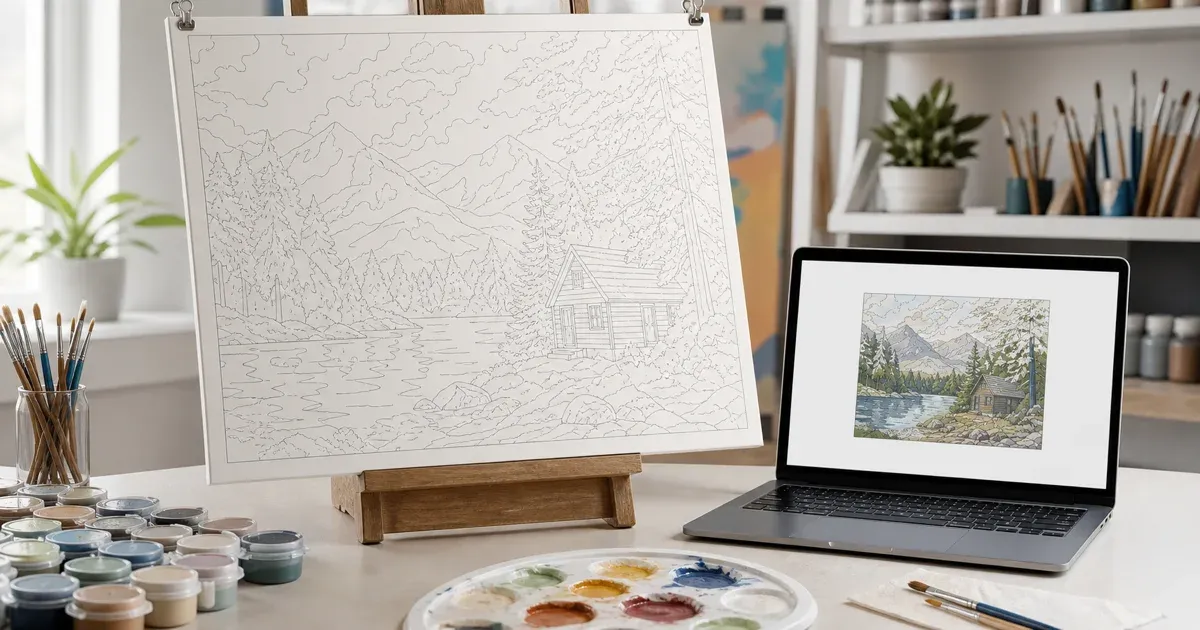
When your Paint by Numbers Generator finishes processing your photo, it offers you two file formats for the numbered template: SVG and PNG. Both files show the same outlines, the same numbers, and the same color legend — but they store that information in fundamentally different ways, and that difference matters a lot once you start printing. Pick the wrong one for a large canvas and you can end up with blurry, jagged lines. Pick the wrong one for a quick share or a phone screen and you are just moving a bigger file than you need. This guide explains exactly what separates the two formats, why the tool exports both, and which one to reach for in each real-world situation.
What "Vector" and "Raster" Actually Mean
The core difference between SVG and PNG comes down to how each format describes an image on disk.
PNG: A Grid of Fixed Pixels
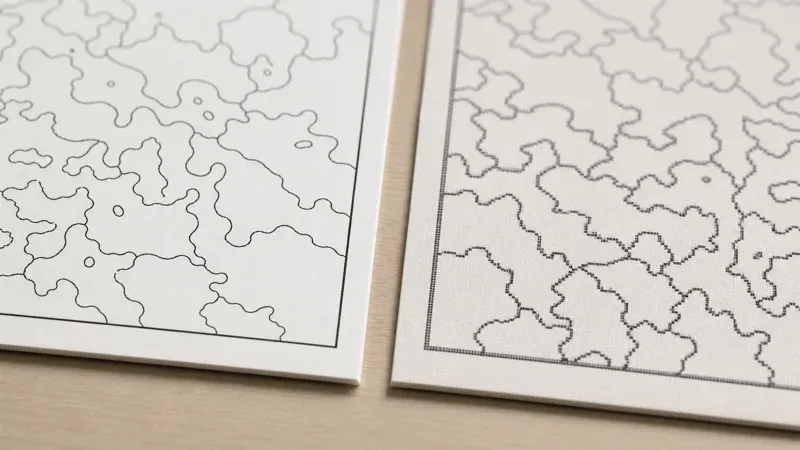
PNG is a raster format. It stores an image as a fixed grid of pixels, each with its own color value, at one specific resolution. When you open a PNG, you are looking at exactly the pixels that were saved — nothing more, nothing less. That works well as long as you display the image at, or below, its native size. Stretch it larger, though, and the software has to invent new pixels between the existing ones through interpolation, which is exactly what produces the soft, blocky, or blurry look you see when a small image is blown up too far.
SVG: A Set of Instructions
SVG (Scalable Vector Graphics) takes a completely different approach. Instead of storing pixels, it stores an XML-based description of shapes — paths, curves, and coordinates that define the outlines and regions of your template. According to MDN's SVG documentation, SVG is a vector image format that scales to any size without loss of quality, because the browser or printer redraws the shapes fresh at whatever size you request, rather than stretching a fixed grid of pixels. A line in an SVG paint-by-numbers template is defined mathematically as a path between points, so it stays exactly as sharp whether it's printed on a postcard or a poster.
Why This Matters Specifically for Paint by Numbers
A paint-by-numbers template lives or dies by its line work. You need to see, clearly, where one numbered region ends and the next begins, and you need the number inside each region to be legible enough to read while you're holding a paintbrush. That makes line and text sharpness the single most important quality factor in this particular kind of file — more so than in a typical decorative image, where a little softness at the edges barely registers.
This is also where color quantization comes back into the picture. The generator's underlying process reduces your photo to a limited palette through color quantization — collapsing thousands of photographic colors down to the handful you choose to paint with. That quantization step is what creates the flat, distinct regions and the outlines between them in the first place. Once those regions exist, the format you export them in determines how faithfully those crisp boundaries survive onto paper or canvas. A beautifully quantized image with clean region borders can still look muddy on a large print if it's exported as a small, fixed-resolution raster and then stretched — the format choice can undercut the quality of the quantization work that came before it.
When to Choose SVG
SVG should be your default choice for almost every paint-by-numbers project, and especially for these situations:
- Printing at canvas size. If you're printing your template to match a stretched canvas — anything from a small 20x25cm panel up to a large wall piece — SVG scales cleanly to that exact size. The lines and numbers stay just as sharp at the larger dimension as they were on your screen.
- You don't know your final size yet. Because SVG isn't tied to a fixed resolution, you can decide later whether you want to print small or blow the template up much larger, without having to regenerate anything.
- You want to edit the file. Because SVG is a structured, text-based format made of paths and shapes, it can be opened and adjusted in vector editing software if you ever want to tweak an outline or reposition a number.
- Professional or large-format printing. If you're taking your template to a print shop for a large-format job, a vector file gives the shop's equipment room to render at whatever size their printer supports, without the quality ceiling a raster file imposes.
In short: whenever the physical size of the printed template is large, or simply undecided, SVG removes size as a variable you need to worry about.
When PNG Is the More Convenient Choice
PNG isn't a worse format — it's a different tool for different situations, and it earns its place in the download menu for good reasons:
- Quick previews and sharing. If you just want to text a preview to a friend, drop it into a group chat, or paste it into a document, PNG is the simpler, more universally compatible option. Every app, phone, and messaging platform can display a PNG without any extra software.
- Small prints. For a template you're printing at a modest, fixed size — say, a standard sheet of paper — a raster image is perfectly adequate, since you're not asking it to scale beyond the resolution it was generated at.
- Simpler embedding. If you're dropping the template into a slideshow, a scrapbook layout, or any tool that expects a standard image file rather than vector artwork, PNG is the more universally supported choice.
- You don't need to resize later. If you already know exactly what size you're printing, and it won't change, a raster export at that size does the job without any extra consideration.
The practical rule of thumb: reach for PNG when convenience and compatibility matter more than the flexibility to scale up later.
How the Generator Handles Both Formats
The Paint by Numbers Generator doesn't force you to choose one format upfront and live with it — it exports both from the same processed template, so you always have the option that fits the moment. Alongside either download, the tool also includes the numbered black-and-white view and the hex color legend, so whichever file you choose, you have the outlines, the numbers, and the exact color reference you need to shop for paint or mix your own. This dual-export approach exists precisely because "best format" depends on what you're about to do with the file, not on some universal winner between vector and raster.
Under the hood, generating that numbered view involves in-browser image processing — reading pixel data, tracing region boundaries, and rendering the result to screen — the kind of work handled by the browser's Canvas API. That same in-browser pipeline is what produces both the raster preview you see live on the page and the two downloadable formats, all without your photo ever leaving your device.
A Practical Way to Decide
If you're still unsure which to pick, ask yourself one question: "Will I ever want this template bigger than it is right now?" If there's any chance you'll print it larger later, reprint it at a different size, or hand it to a print shop, download the SVG. If you know exactly how big it needs to be and it's on the smaller side, PNG will serve you just as well with less fuss. When in doubt, grab both — the SVG for anything print-related, and the PNG as a quick-reference copy for your phone or a group chat.
Common Questions About the Two Formats
Will a PNG look bad if I only print it at its original size?
No. A raster image looks exactly as sharp as it was generated, as long as you don't scale it up. The quality concern only appears when a raster file is stretched beyond the resolution it was created at.
Does choosing SVG change the colors or the number of regions?
No. Both formats represent the exact same quantized result — the same palette, the same regions, the same numbers. The format only affects how that result is stored and rendered, not the underlying color quantization or region layout.
Can I convert a PNG back into a scalable SVG later?
Not reliably. Converting a raster image into clean vector paths after the fact is a much harder, lossier process than generating the SVG directly from the source data in the first place, which is why it's worth downloading the SVG upfront if there's any chance you'll need to scale up.
Which format should I use if I'm not sure yet how big I'll print?
SVG. Since it isn't tied to one resolution, keeping the vector file gives you the freedom to decide on a print size later without any loss of quality, whatever you eventually choose.
Conclusion
SVG and PNG aren't competing formats so much as two tools built for different jobs. SVG's vector paths scale to any size without losing sharpness, which makes it the right call for printing large canvases, professional print jobs, or any template whose final size isn't locked in yet. PNG's fixed-resolution simplicity makes it the faster, more universally compatible option for quick previews, sharing, and small, fixed-size prints. Because both formats represent the same underlying color-quantized template — the same regions, the same numbers, the same legend — you lose nothing by keeping both. Head to the Paint by Numbers Generator, upload a photo, and download whichever format matches what you're about to do with it. For the full walkthrough from photo to finished print, see our guide on turning a photo into a custom paint-by-numbers canvas.
References and Further Reading
- SVG (MDN Web Docs) — documentation for the XML-based vector format that scales to any size without loss of quality, the basis for this article's printing recommendations.
- Canvas API (MDN Web Docs) — documentation for the in-browser 2D image processing used to render the numbered template and both downloadable formats.
- Color quantization — background on reducing a photo to a fixed palette, the process that creates the flat regions and outlines each export format has to faithfully reproduce.